I.L. 40-386.3
(10/94) 4-3
LED Color Condition
PROTECTION LEDS
PROTECTION IN SERVICE Yellow ON– For Normal condition of dc power
Successful self-check
Self-test routines
OFF – Any of the above failed
PILOT Red Pilot Tripped
Zone1 Red Zone1 Tripped
Zone2 Red Zone2 Tripped
Zone3 Red Zone3 Tripped
AG Red AG Fault
BG Red BG Fault
CG Red CG Fault
Mφ Red Multi-phase Fault
OTHER Red Fault Generated by Overcurrent
Load Loss, or
Trip Relays Testing
RECLOSING AND SYNCH-CHECK RELATED LEDS (OPTIONAL)
RECLOSING IN SERVICE Yellow ON – dc power ON
LOCKOUT Yellow Reclosing Logic in Lockout State
FAILED RECLOSE Yellow Breaker associated with Recloser failed to reclose
HBDL Yellow Bus is Live and Line is Dead
HLDB Yellow Line is Live and Bus is Dead
SYNCHRONISM Yellow Bus and Line Voltages in Synchronism
FRONT PANEL LED INDICATOR CHART
4. 4. FRONT PANEL MAN-MACHINE INTERFACE
4.4.1 LED Indicators
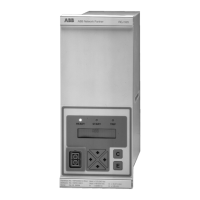
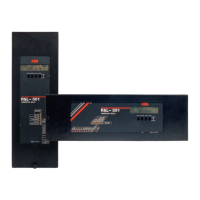
The REL 301/302 comes with LEDs on the front panel. “IN SERVICE” LED should be
on, all other indicators are off in normal conditions, but after a trip, the ones related
to the trip blink. If a second trip occurs, the LEDs related to the latest fault double
blink. See Section 5.1.1 for more details.
4.4.1.1 LEDs and Display Reset
The push-button labelled RESET is used to reset all the trip LEDs and send the display
to the metering mode.
4.4.2 Display Module
The front panel operation provides a convenient means of checking and changing set-
tings, and for checking relay unit operations after a fault.
It consists of a 2-line 16-character/line LCD display, 4 push-buttons (SELECT, LOW-
ER, RAISE, ENTER) and a switch. The latter selects the display of either the protection
or the optional recloser. It should always be in protection mode when no reclosing in-
formation is being viewed or during re-initialization.
The front panel has different modes of operation, shown at the top right of the display.
The 4 push-buttons labeled SELECT, LOWER, RAISE, and ENTER, are used to inter-
face with the REL 301/302 relay menu and settings.


 To Next Page