42/18-54 EN Electro-pneumatic positioner TZID 31
4 Display and operator panel
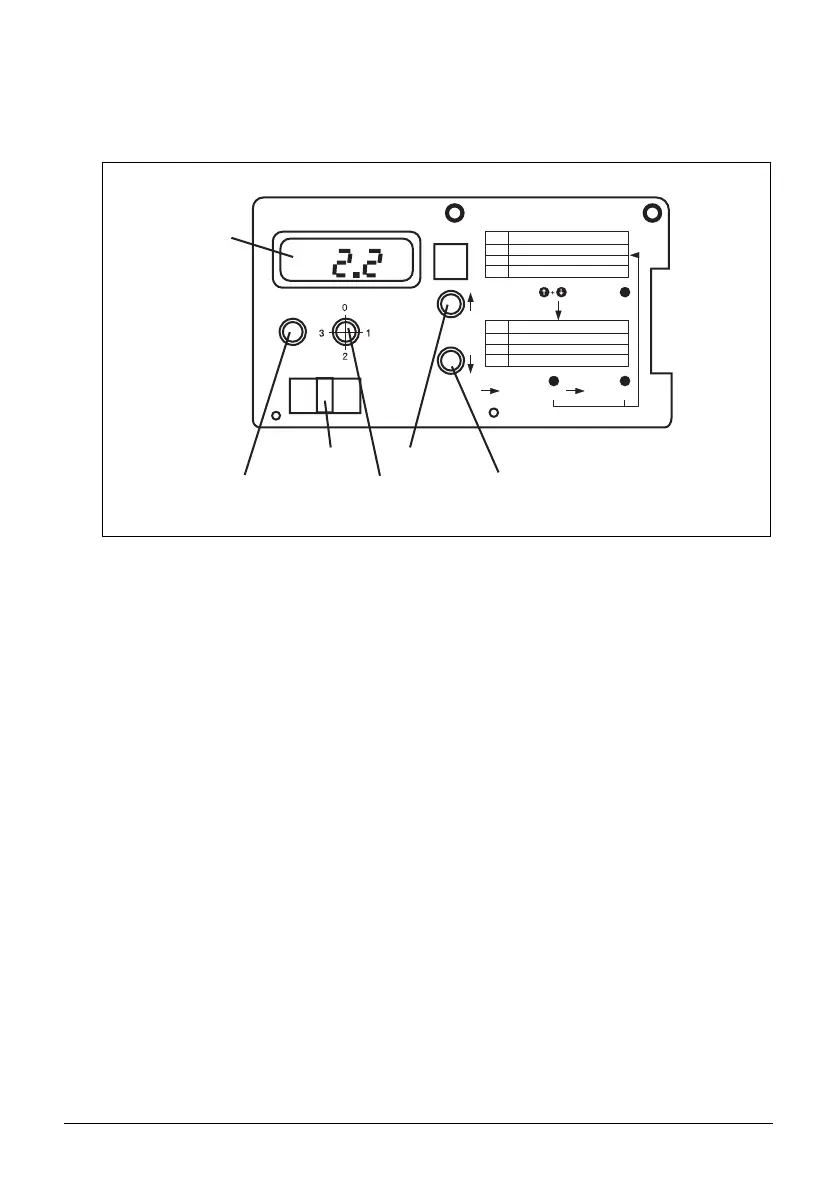
The TZID positioner’s display and operator panel is accommodated in the hinged cover
(siehe Fig. 22), requiring that the case is opened for operation.
The display and operator panel is designed for two tasks and, therefore, provides two
operating levels:
Operating level 1 Monitoring and special adjustment while the system is
running.
Operating level 2 Commissioning and configuration (basic functions)
If troubles occur during operation or commissioning, an error code appears on the dis-
play. Refer to the Appendix for a reference list of the error codes with their reasons and
suggestions for help. When the positioner is started, the software revision level (5.0 at
the time when this document is prepared) is shown on the display for a short time.
Reset
Mode
Operating mode
1.0
1.1
1.2
1.3
2.0
2.1
2.2
2.3
Controlling, adaptive
Controlling, fixed
Manual control up/down
Setting of switches
Autostroke
Man. deadband adjustment
Position sensor span
Zero adjustment
Press and hold
+ Press briefly
Reset
Press and hold
to save changes
Reset
Press briefly
to abort
Return to Operating Level 1
Display
“Reset” button
LKS connector
Rotary switch
“Mode”
“Up” button
“Down” button
Fig. 22 Display and operator panel



 To Next Page