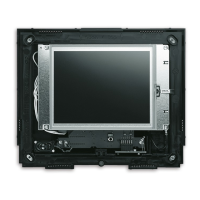
Operating Instructions 1 CP650, CP660, CP675
Content
Introduction ........................................................................................................................ 3
Before You Start ................................................................................................................ 4
Safety Notices........................................................................................................................... 4
Markups .................................................................................................................................... 4
Product Overview .............................................................................................................. 5
Standards and Approvals ................................................................................................. 6
Product Identification ............................................................................................................... 6
Technical Specifications .......................................................................................................... 7
Environmental Conditions ....................................................................................................... 7
Electromagnetic Compatibility (EMC) ..................................................................................... 8
Durability Information .............................................................................................................. 9
Technical Data ................................................................................................................. 10
Dimensions ............................................................................................................................. 11
Installation Environment ........................................................................................................ 12
Applying the Rectangular Gasket ......................................................................................... 12
Installation Procedure ............................................................................................................ 13
Connections ..................................................................................................................... 14
Serial Ports ............................................................................................................................. 14
Ethernet Port .......................................................................................................................... 16
Power Supply, Grounding and Shielding ...................................................................... 17
AUX Port ........................................................................................................................... 19
Battery .............................................................................................................................. 20
Cleaning Faceplates ........................................................................................................ 21
Getting Started ................................................................................................................. 22



 To Next Page