Table 2. Storage, transportaon, and operang condions
Temperature excursions Excursions below 15°C (59°F) or above 30°C (86°F) should be
<24 hours in duraon
Temperature excursion
limits
-20°C (-4°F) to 60°C (140°F)
Humidity 5% to 90% RH
Pressure 70 kPa to 106 kPa
Operang condions
Temperature 5°C (41°F) to 35°C (95°F)
Humidity 10% to 90% RH
Pressure 70 kPa to 106 kPa
NOTE: If the charger was stored in an environment that is outside of normal operang
temperature, allow it to acclimate to the current environment for approximately
30 minutes.
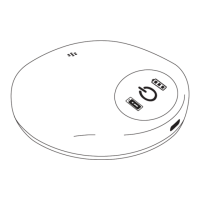
▪ When the charger is approaching its end of service, an alert message displays on the▪
paent controller. This message indicates that you should contact your physician for
a replacement charger.
Traveling with Your Charging System
If traveling with your charging system, follow these guidelines:
▪
Use the travel case to store your charging system.
▪
▪
Be sure to pack the charging cable and power adapter.
▪
NOTE: For short trips, if you plan to travel without the charging cable and power
adapter, check the baery level of the generator and the charger to ensure
connued therapy during your trip.
▪
If you are traveling to an internaonal locaon, you may need a country-specic
▪
power adapter.
▪
The charger contains a lithium-ion baery. If traveling by air, the charger should be
▪
placed and kept in your carry-on baggage during ight, not in your checked baggage.
▪
When traveling, follow all guidelines and restricons for use of electronic devices.
▪
Troubleshoong
This secon provides informaon for solving problems you may have using your charging
system.
NOTE:
▪ If the PC Alert icon illuminates, check your paent controller for more informaon.▪
▪ If problems occur other than those described in this secon, contact Technical▪
Support.
14


 To Next Page