9
1
2
3
4
5
6
7
8
Pima™ ANALYSER USER GUIDE
19
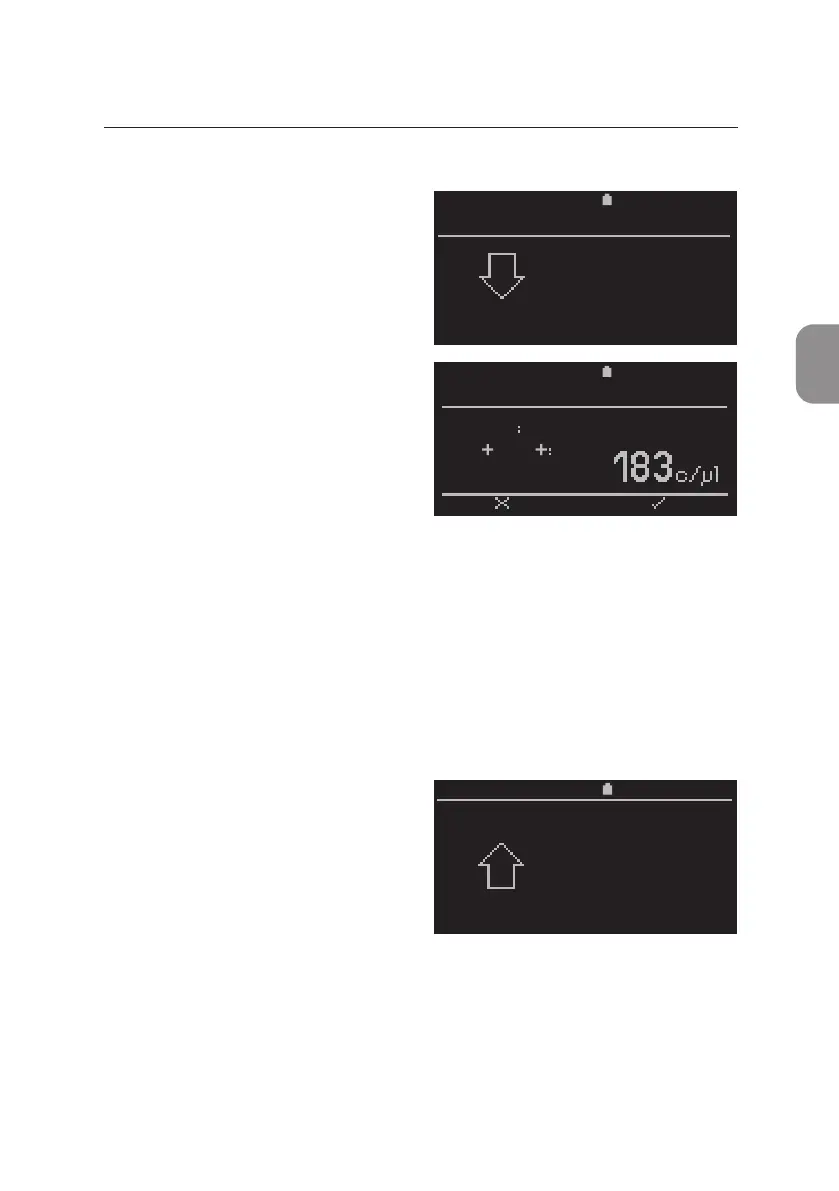
Analysis Complete
• Aer the analysis has been
successfully completed, the
«Analysis done. Remove cartridge»
window appears and prompts the
operator to remove the cartridge
from the Pima Analyser.
• Once the cartridge has been
removed, the Pima Analyser
automacally displays the rst of
four result windows, showing the
Sample ID and test result.
• Addional test related parameters can be viewed using ⌲ and ⌱.
A Pima Test Report may be printed at this me (see "Prinng results
immediately aer Analysis" for details).
All results data is stored in the data archive. Archived results can be viewed
under «Results» in the «Main Menu». For details see secon 5.
• Press ⌨ to return to the inial
«Run test» window and start
the analysis.
11:252020-11-01
ANALYSIS
Analysis done.
Remove
cartridge
2020-11-01 11:25
Sample
CD3 CD4
PIMA CD4
BACK PRINT
67352
11:252020-11-01
Run test
press OK



 To Next Page