B-2 Appendix B
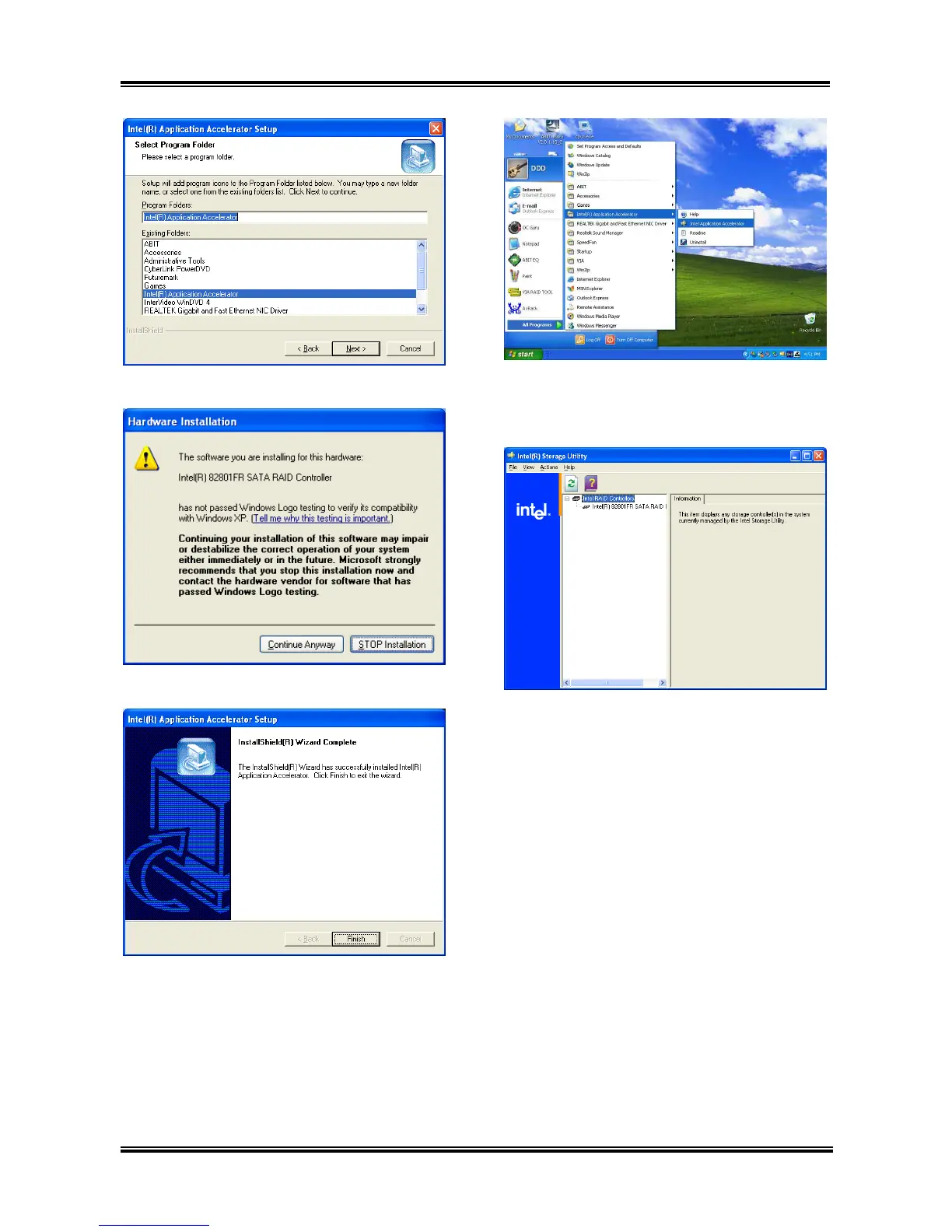
5. Click [Next].
6. Click [Continue Anyway].
7. Click [Finish] to complete setup.
8. To run the “Intel Storage Utility”, click
[Start] [All Programs] [Intel(R)
Application Accelerator] [Intel Application
Accelerator].
9. This is the „Intel Storage Utility”
configuration menu. Click the “Help” menu For
more information.
AG8 Series



 To Next Page