Install Audio Driver C-1
Appendix C. Install Audio Driver
The installation procedures and screen shots in
this section are based on the Windows XP
operating system. For other operating systems,
please follow the on-screen instructions.
Insert the Driver & Utility CD into the
CD-ROM drive. It should execute the
installation program automatically. If not,
double-click the executable file in the main
directory of this CD to enter the installation
menu.
After entering the installation menu, move your
cursor to the [Drivers] tab. Click [Audio Driver].
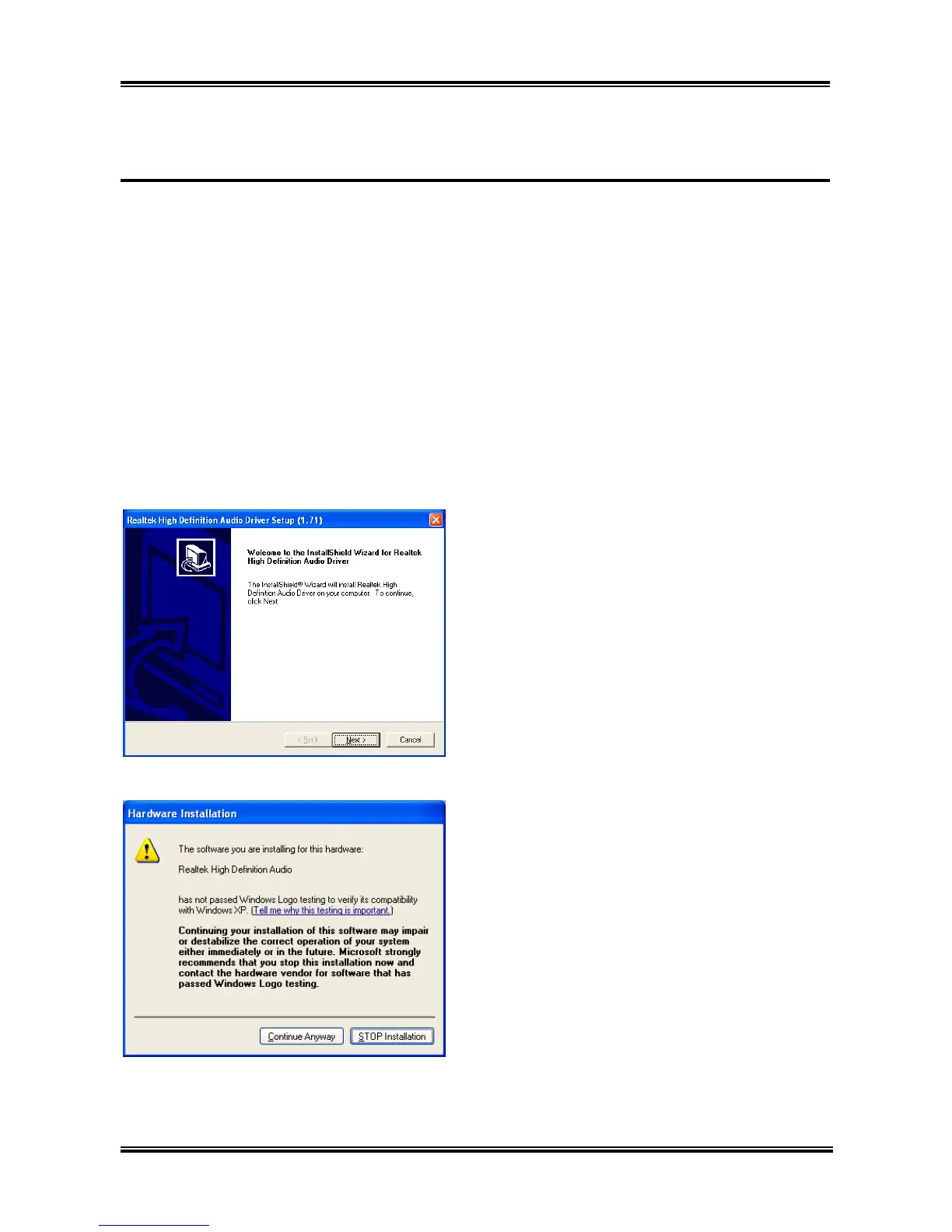
The following screen appears.
Click [Next]. 1.
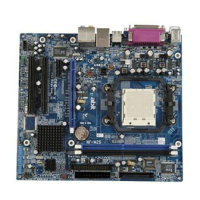
Click [Continue Anyway]. 2.
User’s Manual



 To Next Page