Install ABIT µGuru Utility F-1
Appendix F. Install ABIT µGuru Utility
The installation procedures and screen shots in
this section are based on the Windows XP
operating system. For other operating systems,
please follow the on-screen instructions.
Insert the Driver & Utility CD into the
CD-ROM drive. It should execute the
installation program automatically. If not,
double-click the executable file located in the
main directory of this CD to enter the
installation menu.
After entering the installation menu, move your
cursor to the [ABIT Utility] tab. Click [ABIT
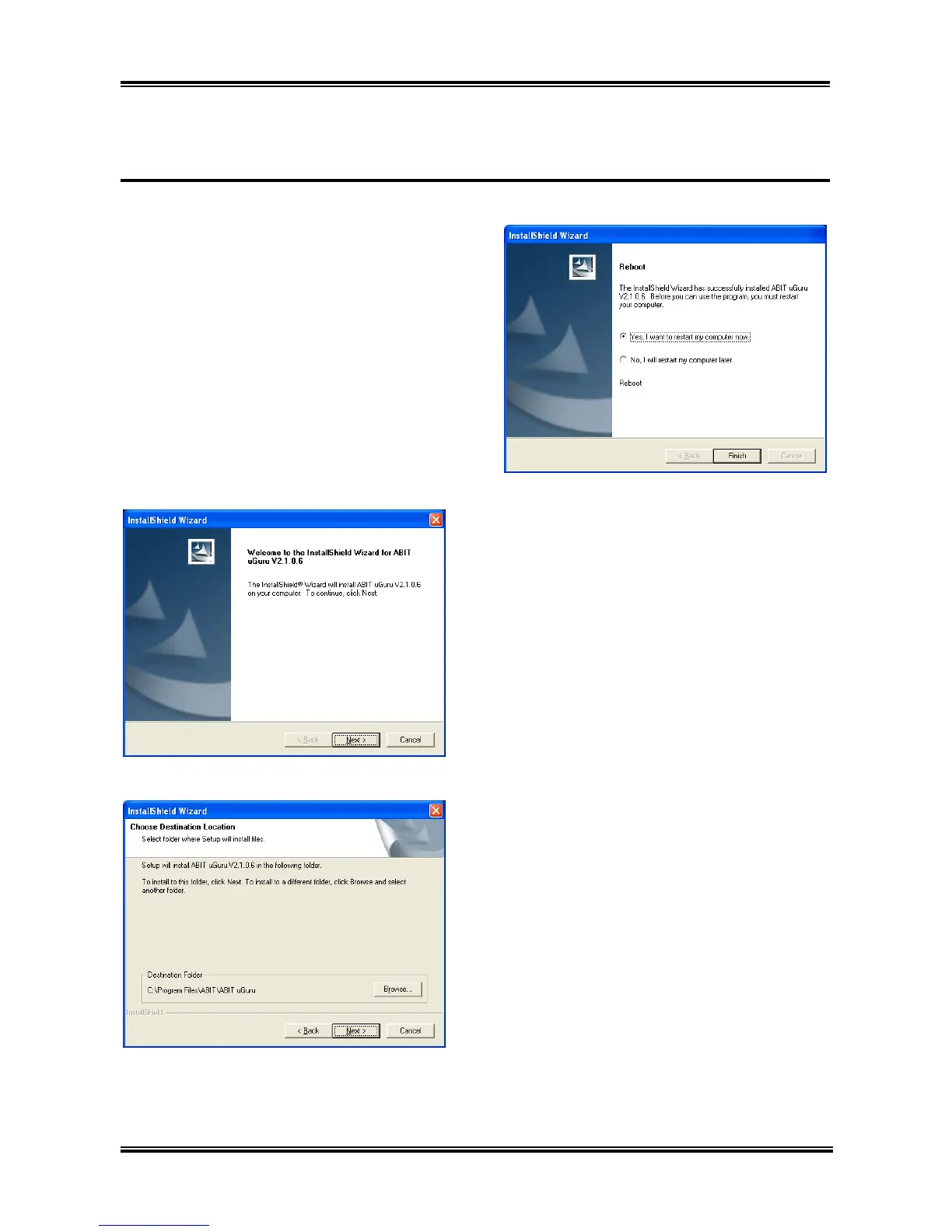
µGuru]. The following screen appears.
1. Click [Next].
2. Click [Next].
Click [Finish] to complete setup. 3.
User’s Manual



 To Next Page