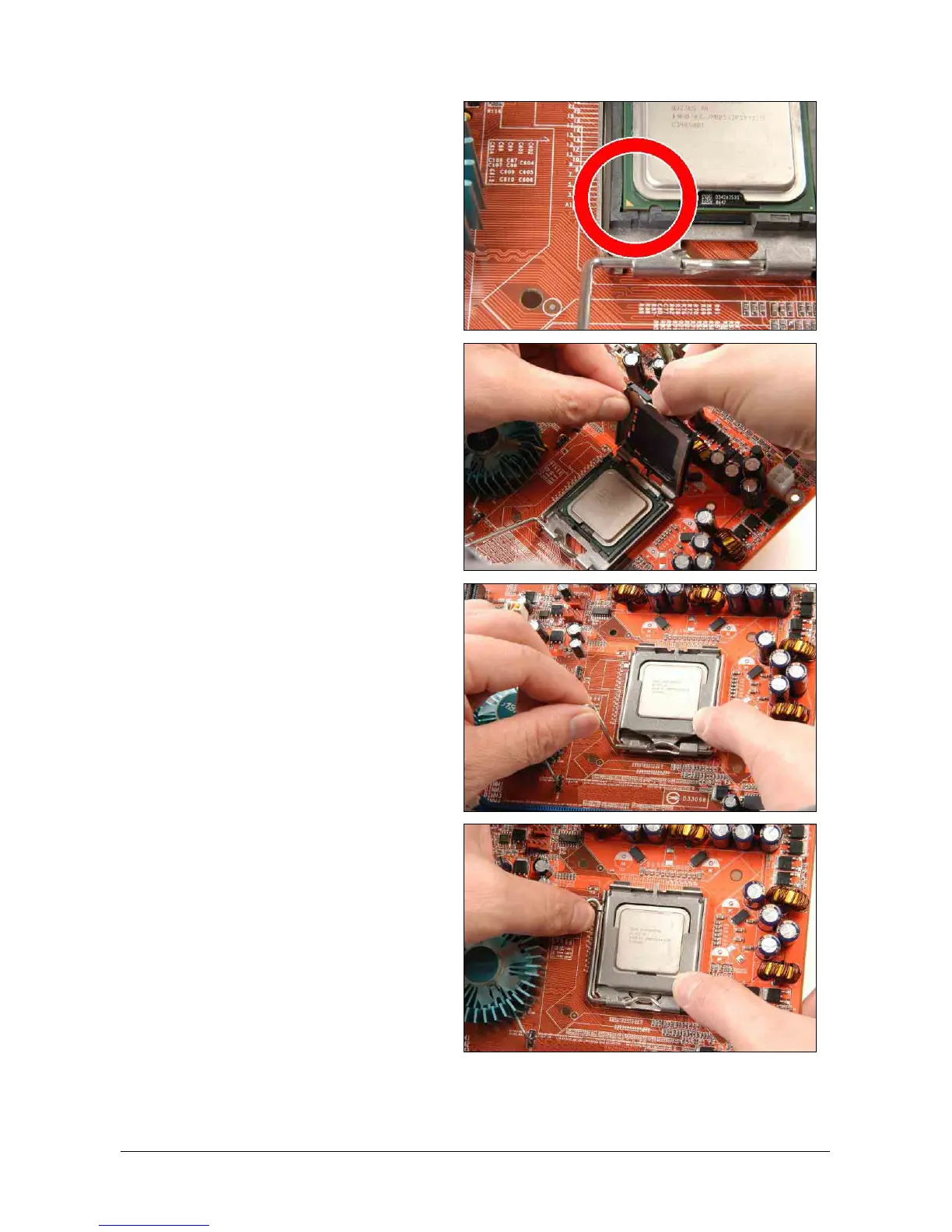
4. Visually inspect if the CPU is seated well
into the socket. The alignment key must
be located in the notch of package.
5. Use your left hand to hold the load
plate, and use your right thumb to peel
the cap off.
※ The cap plays an important role in
protecting contact pins. In order to
prevent bent pin, PUT ON the cap
after operation or testing.
6. Lower the plate onto the CPU package.
Engage the load lever while gently
pressing down the load plate.
7. Secure the lever with the hook under
retention tab.
2-8 SG-80DC



 To Next Page