2.7 Connecting I/O Devices
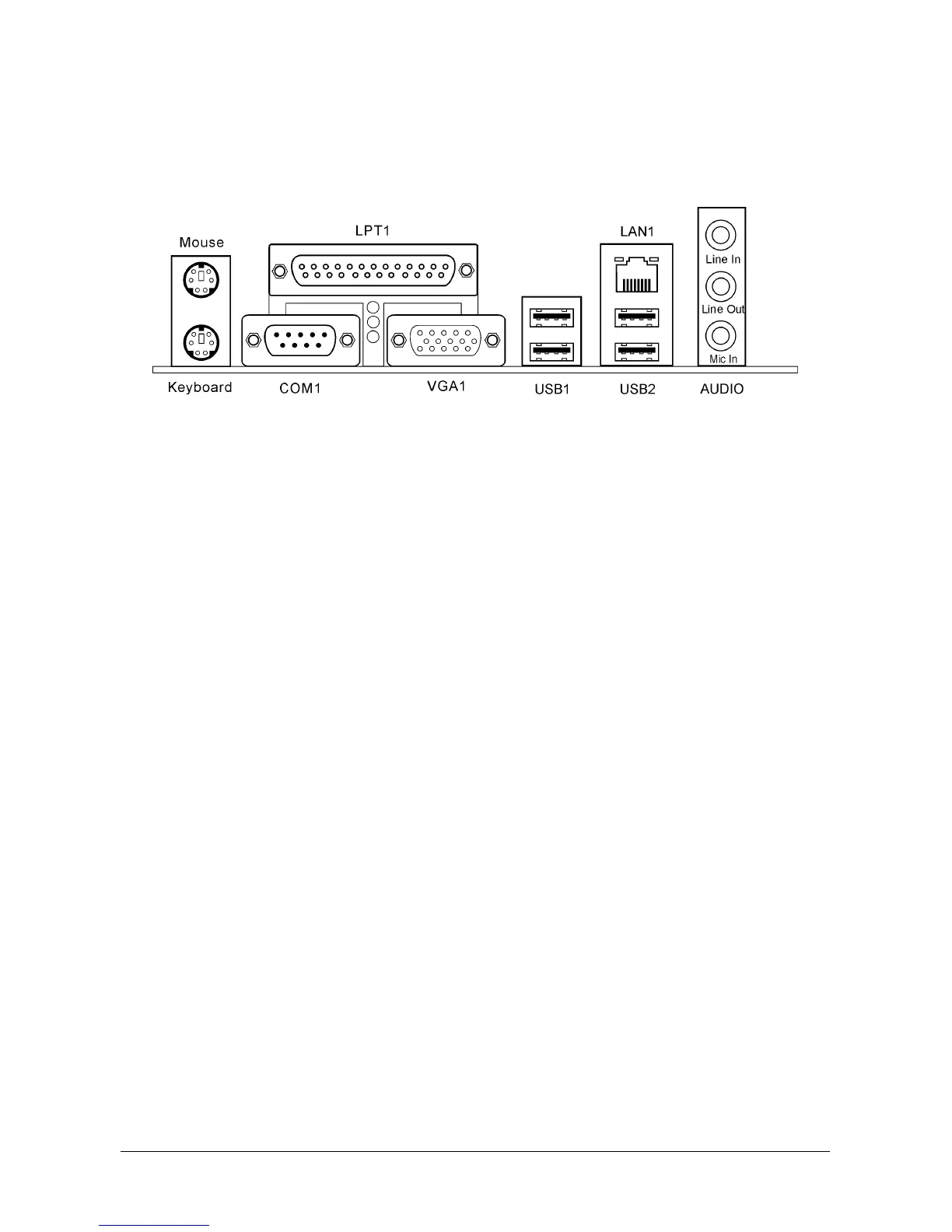
The rear I/O part of this motherboard provides the following I/O ports:
• Mouse: PS/2 mouse connector.
• Keyboard: PS/2 keyboard connector.
• LPT1: Parallel port connector.
• COM1: Serial port connector.
• VGA1: Monitor signal connector.
• USB1/USB2: USB 2.0 connectors.
• LAN1: 10/100Mbps LAN connector.
• AUDIO:
Line In: Connects to the line out from external audio sources.
Line Out: Connects to the front left and front right channel in the 5.1-channel or regular
2-channel audio system.
Mic In: Connects to the plug from external microphone.
2-16 SG-80DC



 To Next Page