2-16 Chapter 2
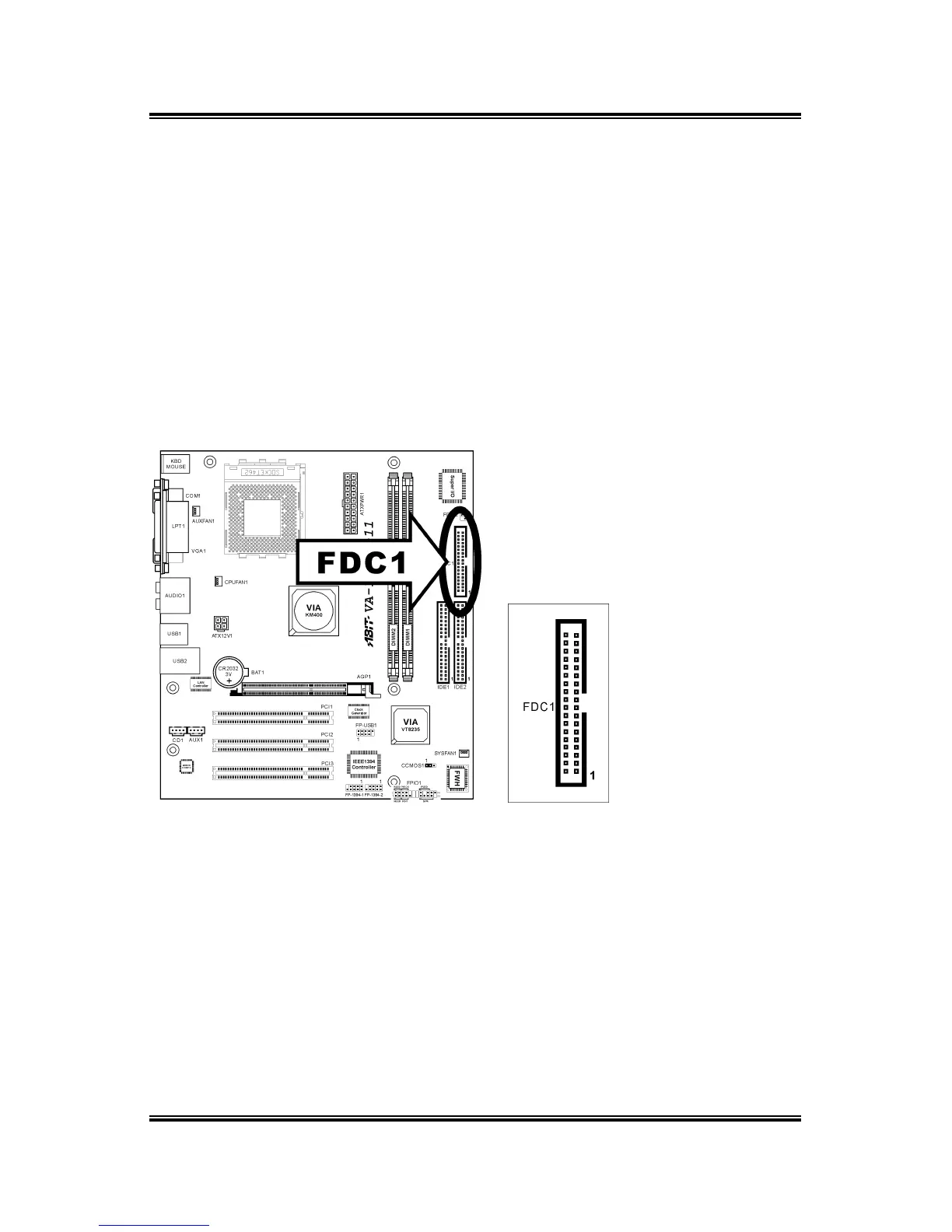
2.5.10. Floppy Disk Drive Connector
This connector supports two standard floppy disk drives via a 34-pin 34-conductor
ribbon cable.
Connecting the Floppy Disk Drive Cable:
1. Install one end of the ribbon cable into the FDC1 connector. The colored edge of
the ribbon cable should be aligned with pin-1 of FDC1 connector.
2. Install the other end(s) of ribbon cable into the disk drive connector(s). The
colored edge of the ribbon cable should be also aligned with pin-1 of disk drive
connector. The endmost connector should be attached to the drive designated as
Drive A.
VA-10/VA-11



 To Next Page