 Need help?
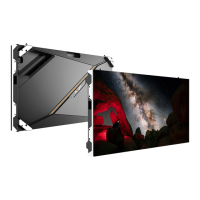
Do you have a question about the Absen A27 V3 Series and is the answer not in the manual?
 General
| Brand | Absen |
|---|---|
| Model | A27 V3 Series |
| Category | Digital Signage |
| Language | English |
Steps to prevent electric shock, including grounding and disconnecting power.
Measures to prevent fire, such as using circuit breakers and ensuring ventilation.
Safety measures against physical injury during installation and operation.
Indoor use cases for the A27 V3 series, including retail and enterprise environments.
Overview of the product's structural design and technical features.
Detailed technical specifications including pixel pitch, dimensions, and power consumption.
Detailed drawings showing the physical dimensions of the display cabinet and modules.
Identification of panel components like handles, wire holes, and cable connectors.
Methods for adjusting panel flatness using connecting plates for wall mounting.
A comprehensive list of tools necessary for the installation process.
Specifications for on-site temperature and humidity critical for installation.
Essential guidelines for power distribution planning and wiring practices.
Step-by-step instructions for mounting panels onto a steel structure.
Detailed steps for securely mounting the display panels on a wall.
Instructions for using hanging bars to install the display panels.
Checks before connection, power cable calculation, and distribution cabinet selection.
How to connect power cables, considering voltage and panel load capacity.
Procedure for connecting RJ45 CAT5 network cables for signal transmission.
Using a multimeter to test for short circuits in power connections.
Tools required for module and component maintenance tasks.
Step-by-step guide for removing and installing LED modules.
Procedures for maintaining adapter boards, receiving cards, and power supplies.
Critical safety guidelines for switching, power supply, and general handling.
Instructions for cleaning the screen and requirements for moisture-proof storage.
Solutions for modules that are not lighting up.
Troubleshooting steps when the entire screen is not displaying.
Fixes for scrambled images, checking data connections and firmware.
Troubleshooting for duplicate content, no control system, or no full screen display.

 To Next Page