A27 V3 Series Product User Manual
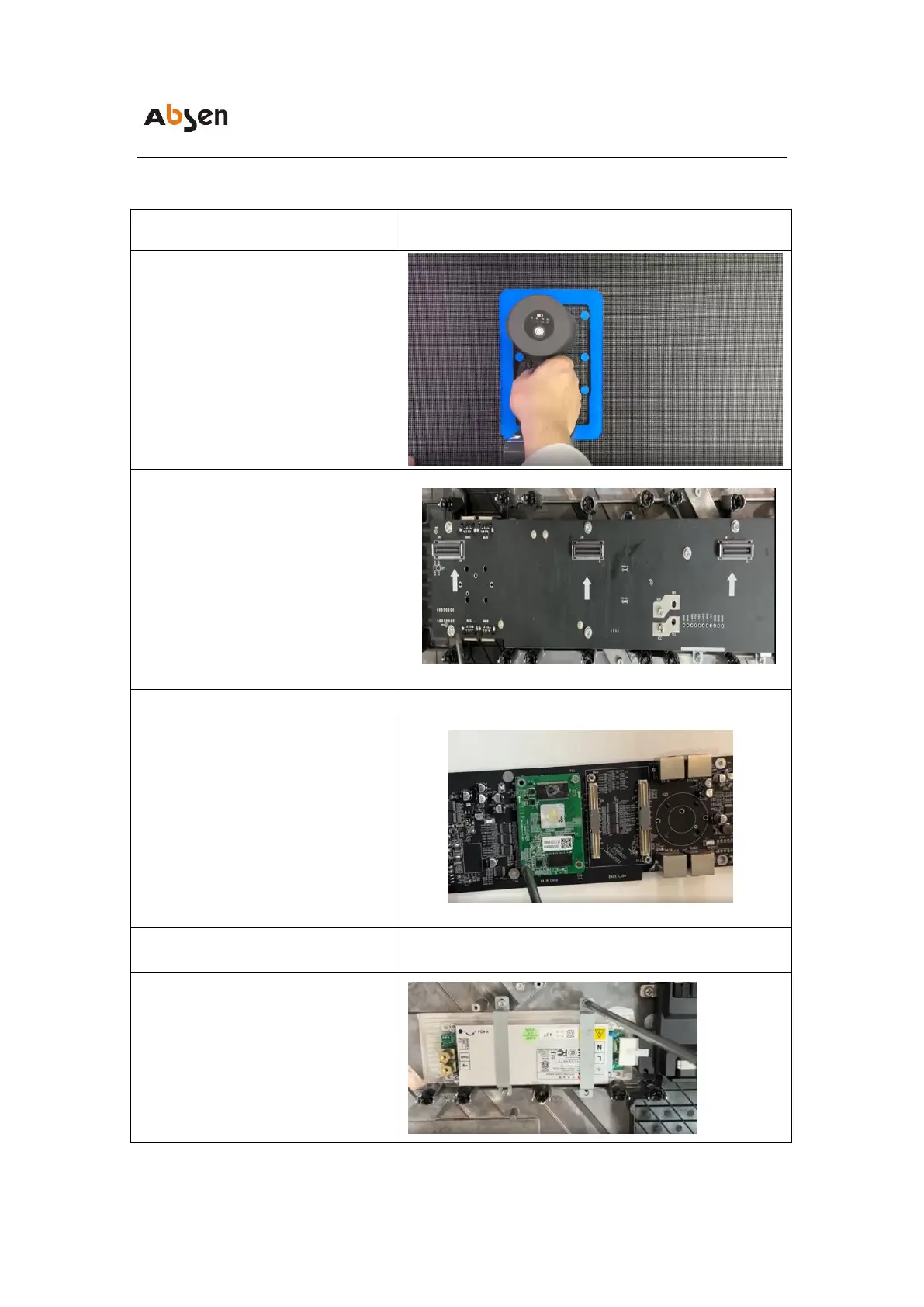
adapter board maintenance
❶Use vacuum premaintenance tools to
remove all modules from the faulty panel
❷Using a PH2 Phillips screwdriver,
remove the screws securing the adapter
plate and replace the faulty adapter plate
receiving card maintenance
Using a PH2 Phillips screwdriver,
remove the screws that secure the
adapter board, place the receiving card
on the back of the adapter board, and
replace the faulty receiving card
Using a PH2 Phillips screwdriver,
removing the fixed power screw can
directly replace the faulty power supply


 To Next Page
 Loading...