25 KL II Series User Manual
power cords
loaded quantity
(220V)
power cords
loaded quantity
(110V)
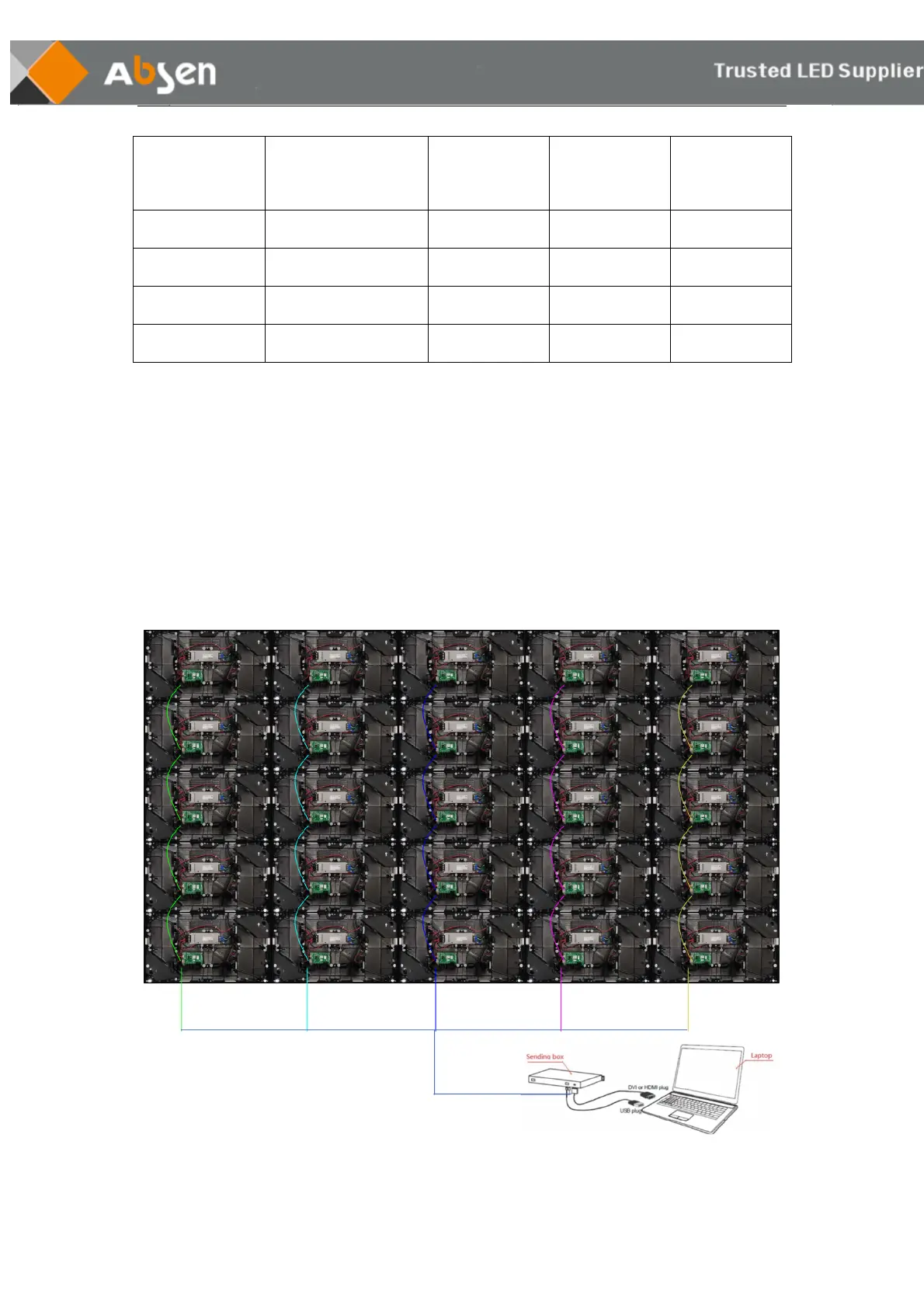
5.2 Signal cables connection
This product cannot store or display video content solely on itself. To perform normal work , the screen
requires video source from the output device such as PC, laptop, media player, etc. and one or more
sending box to receive and feed the source to it.
The network cable is connected from up to down in "S" shape. Please calculate the resolution as per
load range. Please note that the load pixel range for each network interface is suggested not to exceed
650,000 pixels.


 To Next Page
 Loading...