27 KL II Series User Manual
6 PRODUCT MAINTENANCE
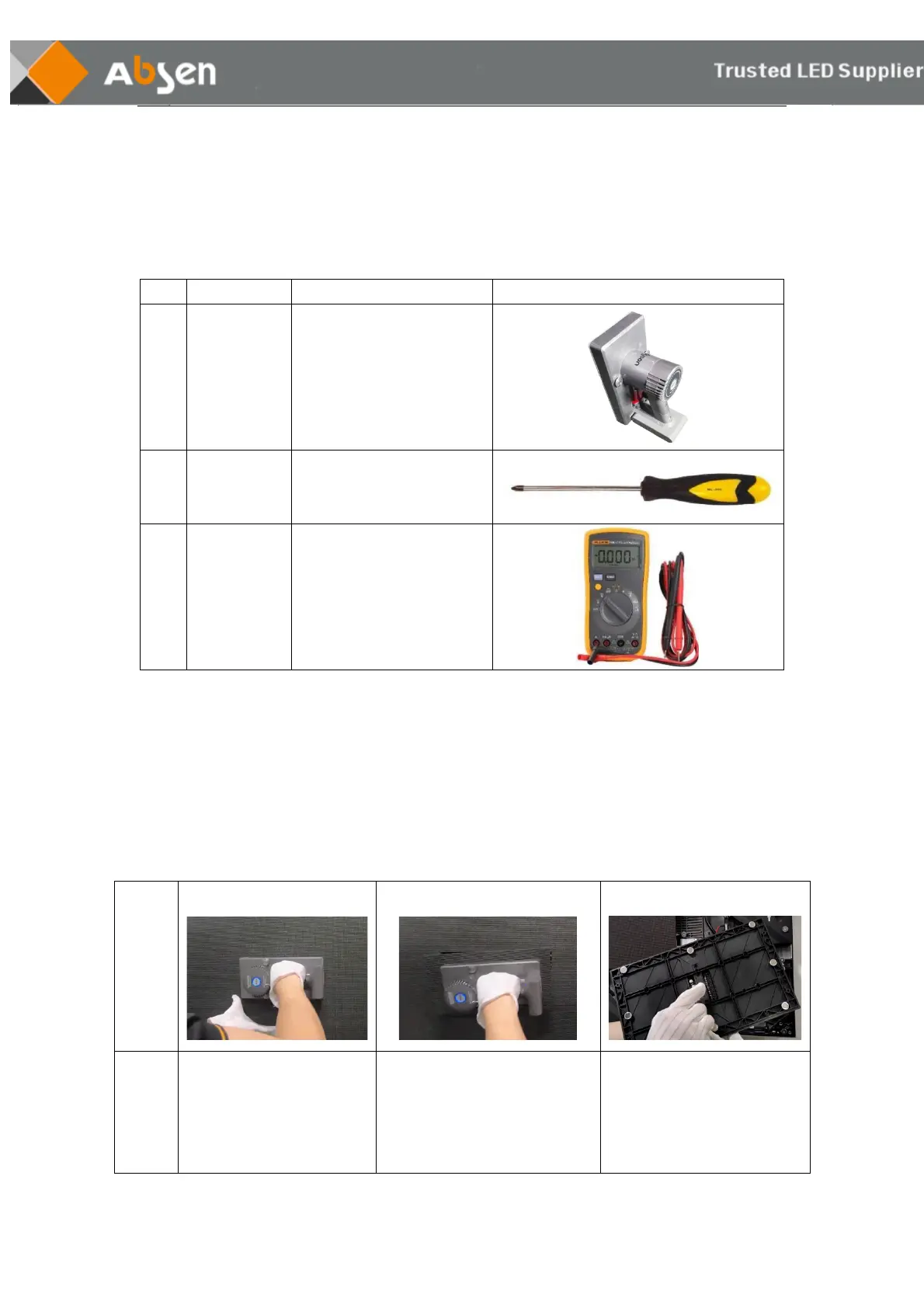
6.1 Service tools
dismantle and install LED
modules
dismantle and install the
power supply unit,receiving
card, HUB board
6.2 Module maintenance
KL II series modules can be quickly removed with a vacuum suction tool. Attach the front maintenance
tool to the surface of the faulty module to be taken out, press the switch and wait for 5 seconds, and
then take out the module.
❶confirm the location of the
faulty module, and place the
front maintenance tool in the
middle of the faulty module
❷Press the switch and wait for 5
seconds, then pull out the module
slightly, and remove the power
cord and ribbon cable of the
module.
❸ Gently install the spare
module on the screen in the
upward direction.


 To Next Page
 Loading...