PL V2 Series User Manual - 13 -
3.1 Hanging Installation
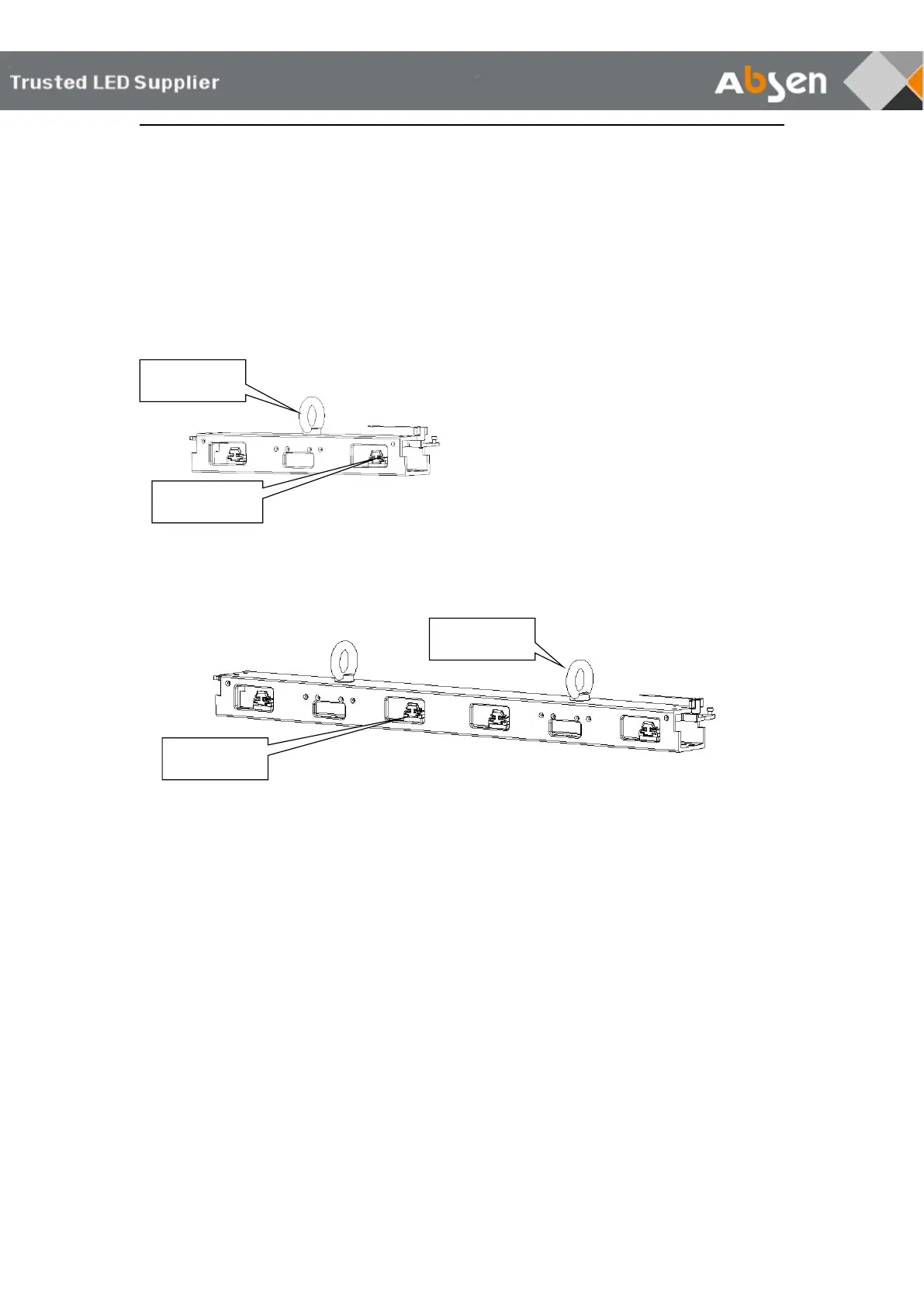
3.1.1 Hanging bar Illustration
Used for rigging installation, including single, double hanging bar and 90 degree hanging
bar.
Single hanging bar
Double hanging bar
3.1.2 Hanging bar installation
Connect cabinets with locking tabs during hanging installation. Hanging bars can load a
max number of 20 500×500mm panels and 10 500×1000mm panels.
Installation steps:
1. Fix the Hanging Bar on the Truss
2. Align the safe lock on the cabinet with the mounting hole on the hanging beam
3. Press the locking plate on the hanging beam
4. Insert the safe lock on the cabinet up
5. Tighten the safe lock from left to right
6. Tighten the second cabinet, as described above
Note: For detailed installation steps, see the product installation video



 To Next Page
 Loading...