- 22 - PL V2 Series User Manual
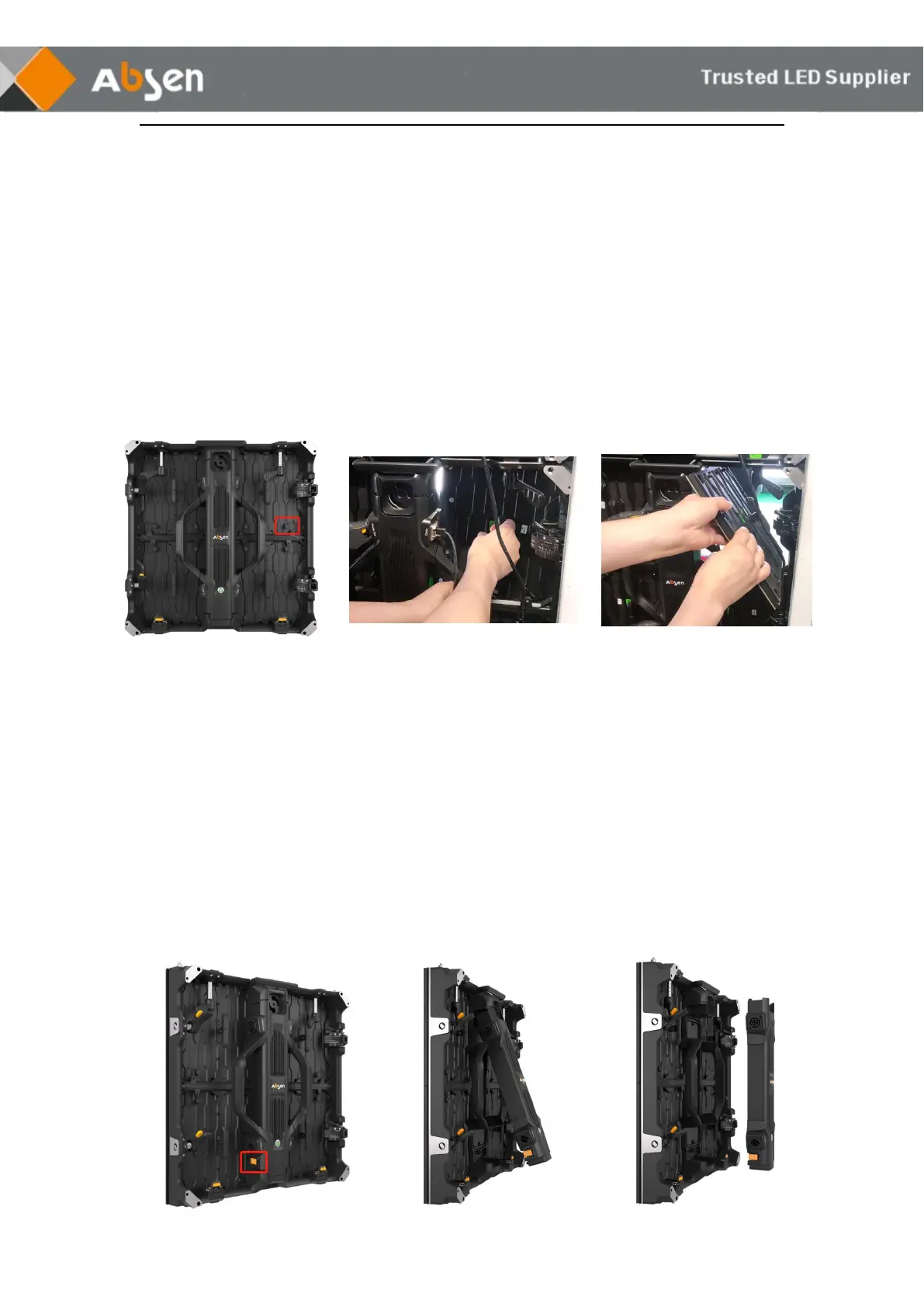
Module rear maintenance
Step1: Unload the module safety rope.
Step2: Hold the module handle with your right hand and push it forward.
Remove the failure module.
Step3: Replace with a good module.
5.2.2 Power Box Maintenance
500×500mm cabinet:
Step1: Press the yellow button.
Step2: Take out the low half of the power box.
Step3: Remove the whole power box.
Step4: Replace with new power box.



 To Next Page
 Loading...