79
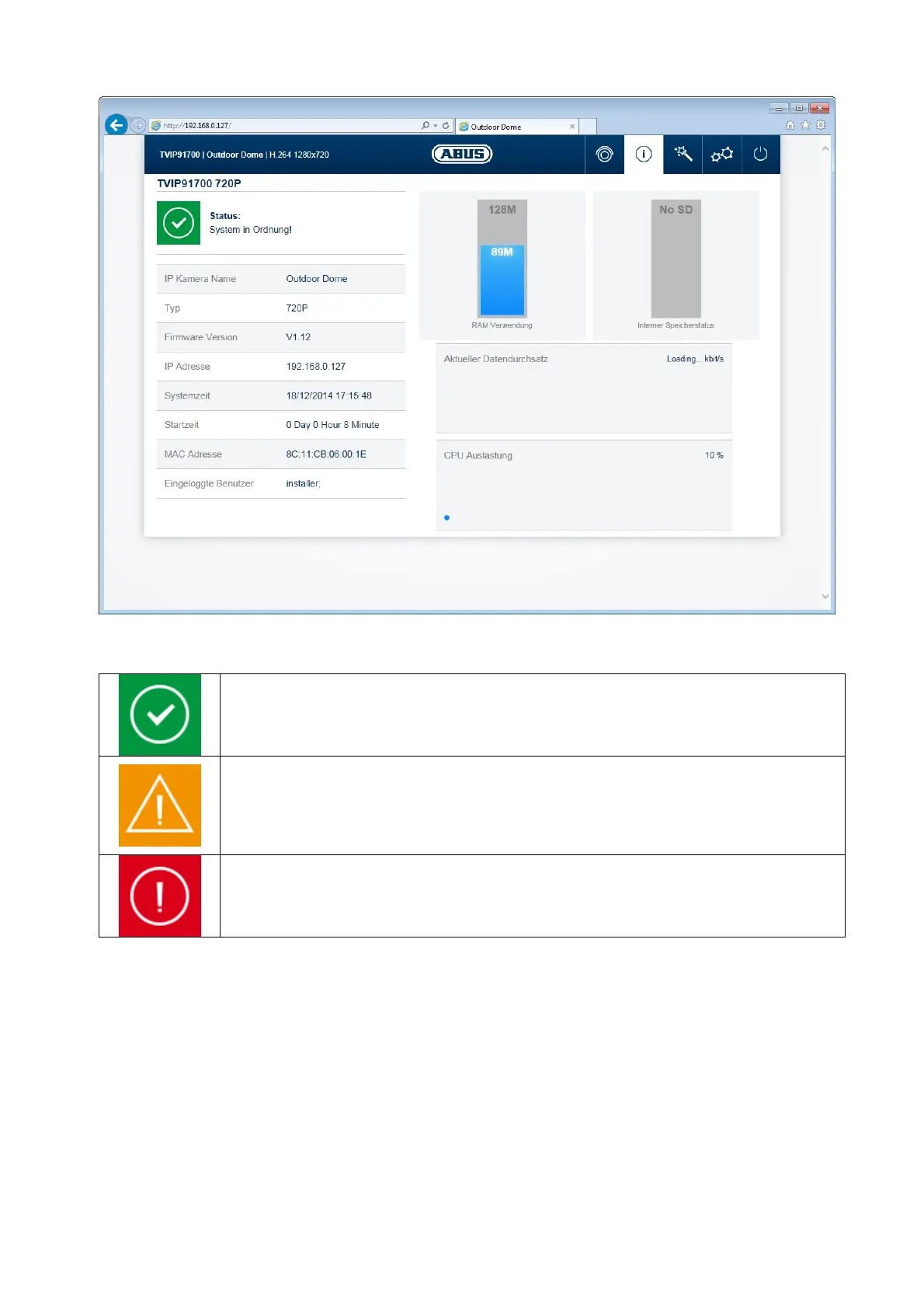
In the area to the upper left, the general status of the system is represented by a symbol.
System is running correctly
All parameters such as system temperature and processor usage are fine. All
functions in use are working correctly.
System is faulty
Errors have occurred in the system. But these are not critical to the basic
functionality of the camera. However, they could cause limitations or
malfunctions within certain functions. The system may need to be tested by the
installer.
System condition is critical
Certain parameters such as system temperature or processor usage are critical
for the system. The system must be tested by the installer immediately.
IP camera name: display of the camera name. Can be modified using
Configuration/System
Type: display of the max. resolution of the camera platform.
Firmware version: display of the firmware version currently installed
IP address: display of the IP address currently set
System time: current date/time set:
MAC address: MAC address of the camera (hardware address of the network
interface)
Logged on user: user currently logged on
Memory usage: internal memory status
Data throughput: total video and audio bit rate over the network interface (outgoing)
CPU usage: display of the processor usage of the camera.



 To Next Page