11
Basic user functions
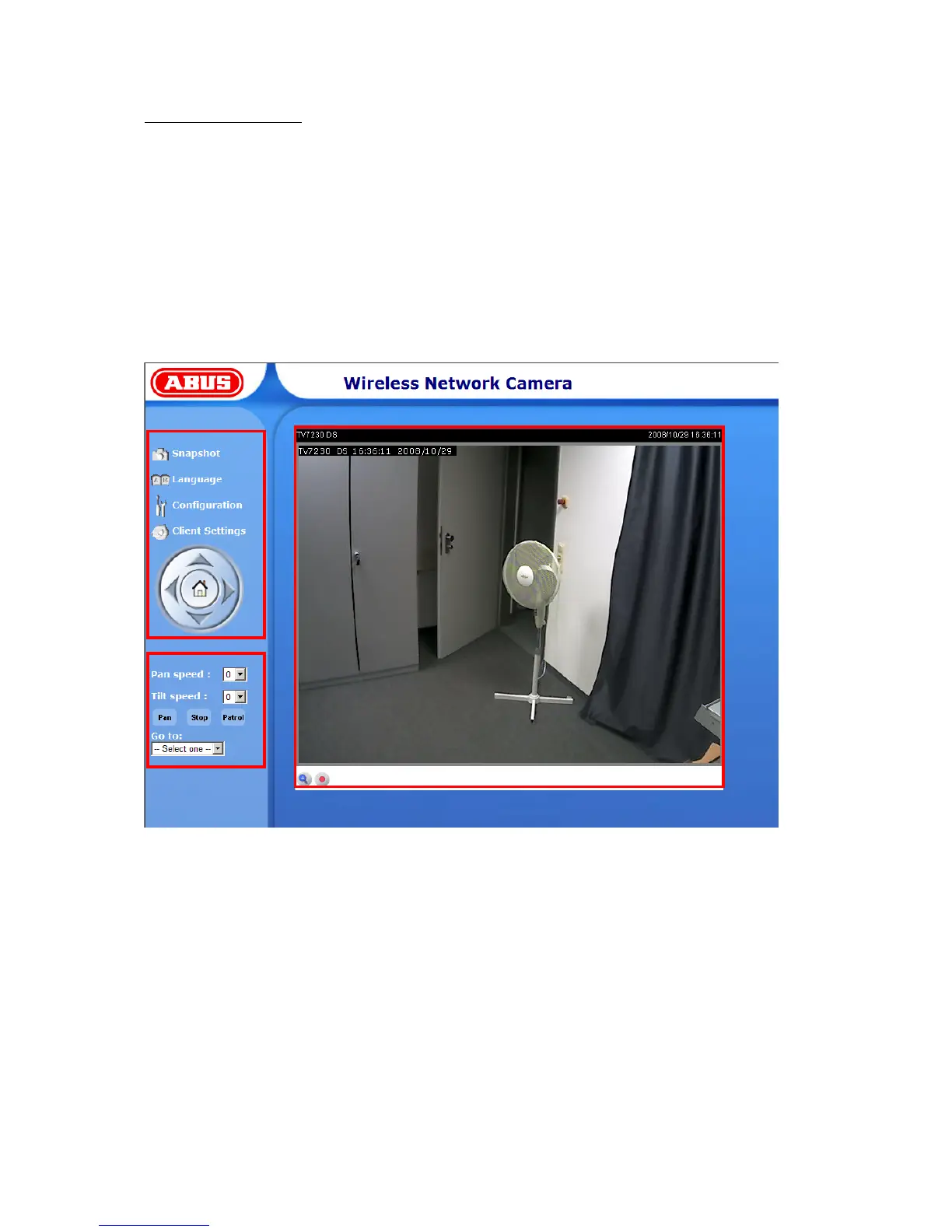
Main window and camera view
The view of the main page consists of three parts:
Configuration: You can configure the camera with these steps.
Camera view: Camera video stream
Pan/Tilt control buttons: These buttons provide the commands to control the viewing angle of the
network camera.
Click the configuration link on the left of the picture to open the configuration page.
Language: Selection for the GUI language of the camera.



 To Next Page