26
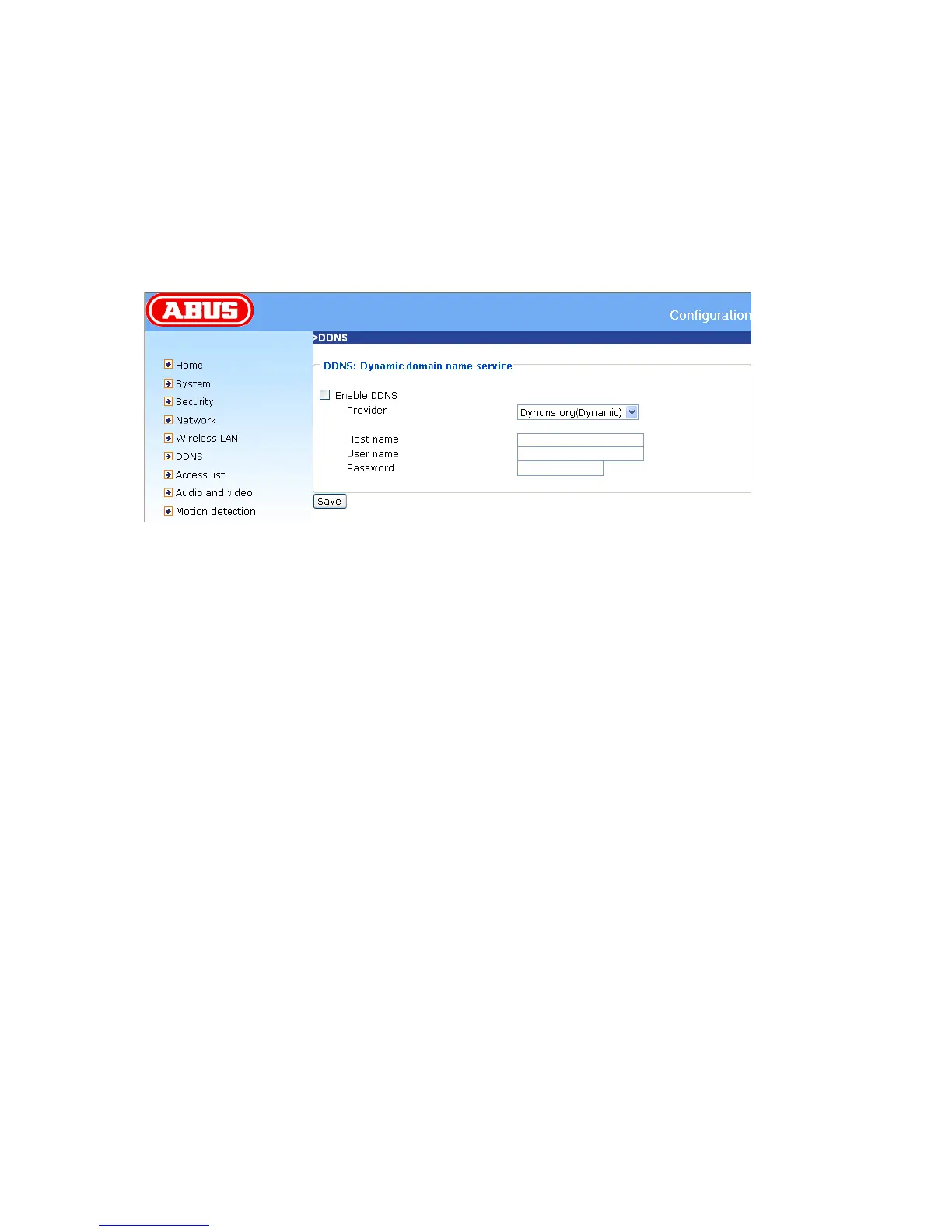
Enable the DDNS function
„Provider“ The provider list contains four hosts that provide DDNS services. Connect to the service-
provider’s website to make sure that the service is available.
„Host name“ This field must be completed if you want to use the DDNS service. Enter the hostname
registered with the DDNS server.
„Username/Email“ The user name and the e-mail address must be entered in this field to set up a
connection to the DDNS server or to inform users about the new IP address. Important: If you enter a
user name in this field, you must enter a password in the next field.
„Password/Key“ To be able to use the DDNS service, enter the password or the key.
<URL> http://<network camera IP >/setup/ddns.html
<Network Camera> is the domain name or original IP address of the PAN/TILT network camera.



 To Next Page