30
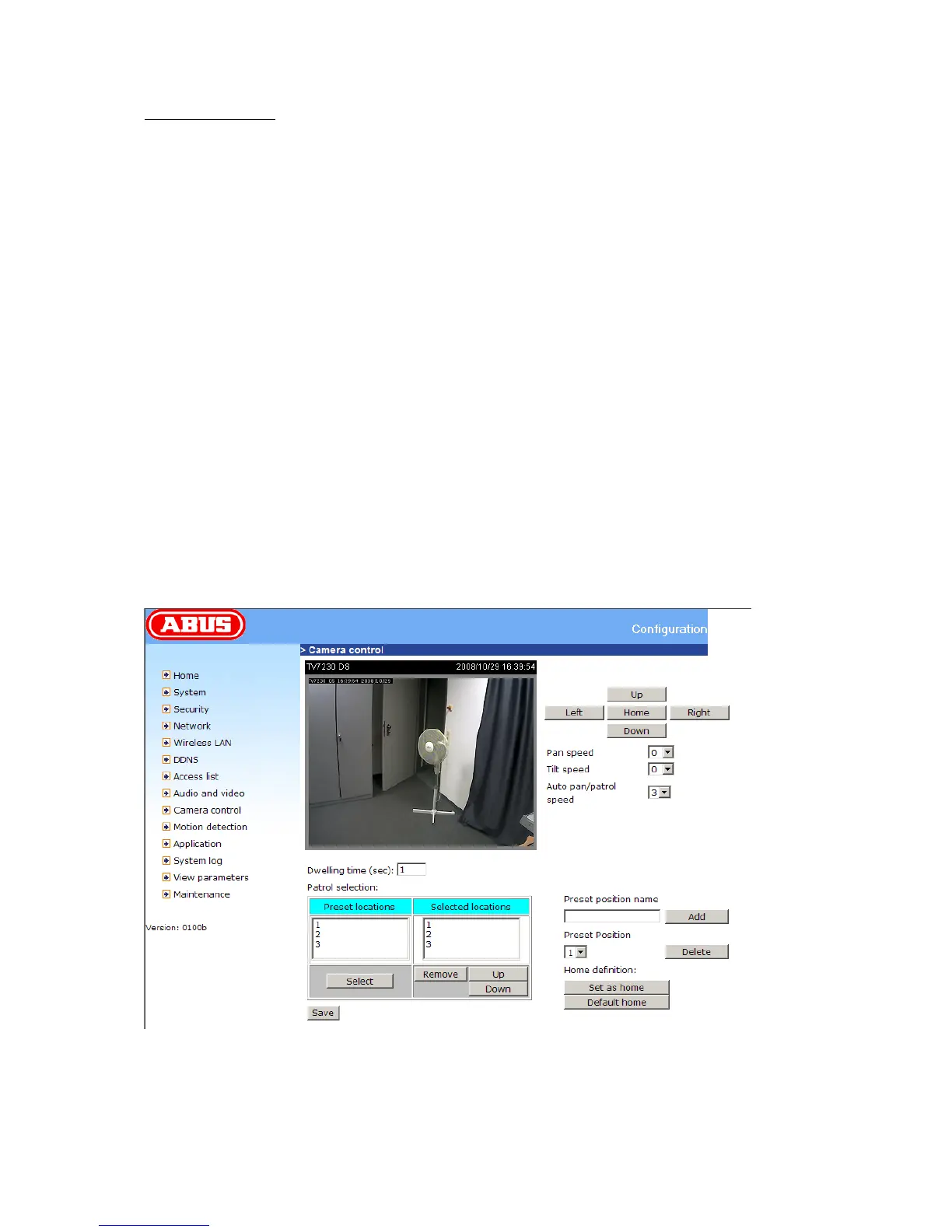
Preset function area
“Current position” If the user wants to save the current view as a preset location, enter a name for
each of the current video views at “current position” and click on the “Add” button. The camera allows
for 20 preset positions.
“Preset position” This keeps a list for preset positions. Click on the delete button will remove the
current selected position from the preset list.
“Set as home” Click on the button will set the current aimed position as home of the network camera.
Each time the network camera reboots or after calibration, it will automatically aim to the defined home
position.
“Default home” Restore home position to factory default home by clicking on this button.
“Dwelling time” The value set here specifies:
1. The stop time of each preset location during auto patrol of the network camera.
2. The stay time at the most left and the most right positions when the network
camera is doing auto panning.
“Patrol selection” After the user has saved a list of preset positions, the “Preset locations” box will
also keep a list of the preset positions. And once the “Select” button is clicked, the “Selected locations”
box will keep a list of patrol stops. The “Remove” button removes the preset position from the patrol
stops. The “Up” and “Down” buttons adjust the order of the patrol stops. Several preset positions can
be added to the patrol stops. The camera can accept up to 40 patrol stops.
“Save” The button is valid for “Auto pan/patrol speed”, “Dwelling time” and “Patrol selections”. In other
words, after changing these settings, and the “Save” button is not clicked, the new setting of the
camera will not take effect.



 To Next Page