6. Operation
6.1. Live cast
For general control of the live cast, refer to menu item 4.1.
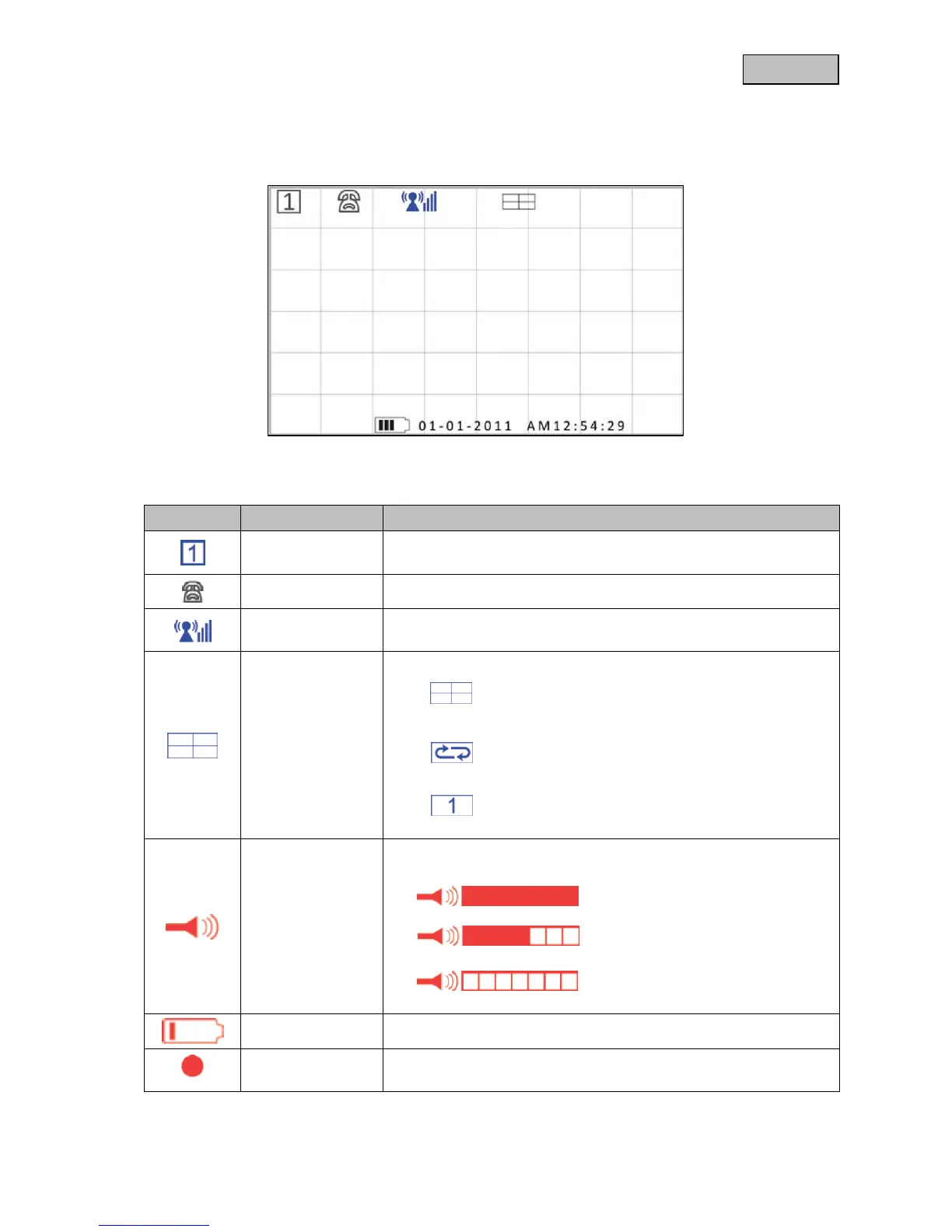
Shows the channel number of the relevant camera.
Shows the camera for which there is an audio connection.
Shows the signal strength for the connection of the relevant
camera.
Quad display, display of all cameras in the 4x
camera view
Sequence mode, switch between the individual
cameras with a dwell time of 5-15 seconds
Individual view, full screen view of one camera
The volume can be set at 7 different levels using the VOL+/- keys.
= Full volume
= Half volume
= No sound
Displays the remaining battery capacity
The recording symbol will be displayed during recording.



 To Next Page