EasyManua.ls Logo

Abus TVAC18000A - Mounting the Camera

Abus TVAC18000A
Print Icon
To Next Page IconTo Next Page
To Previous Page IconTo Previous Page
Loading...
41
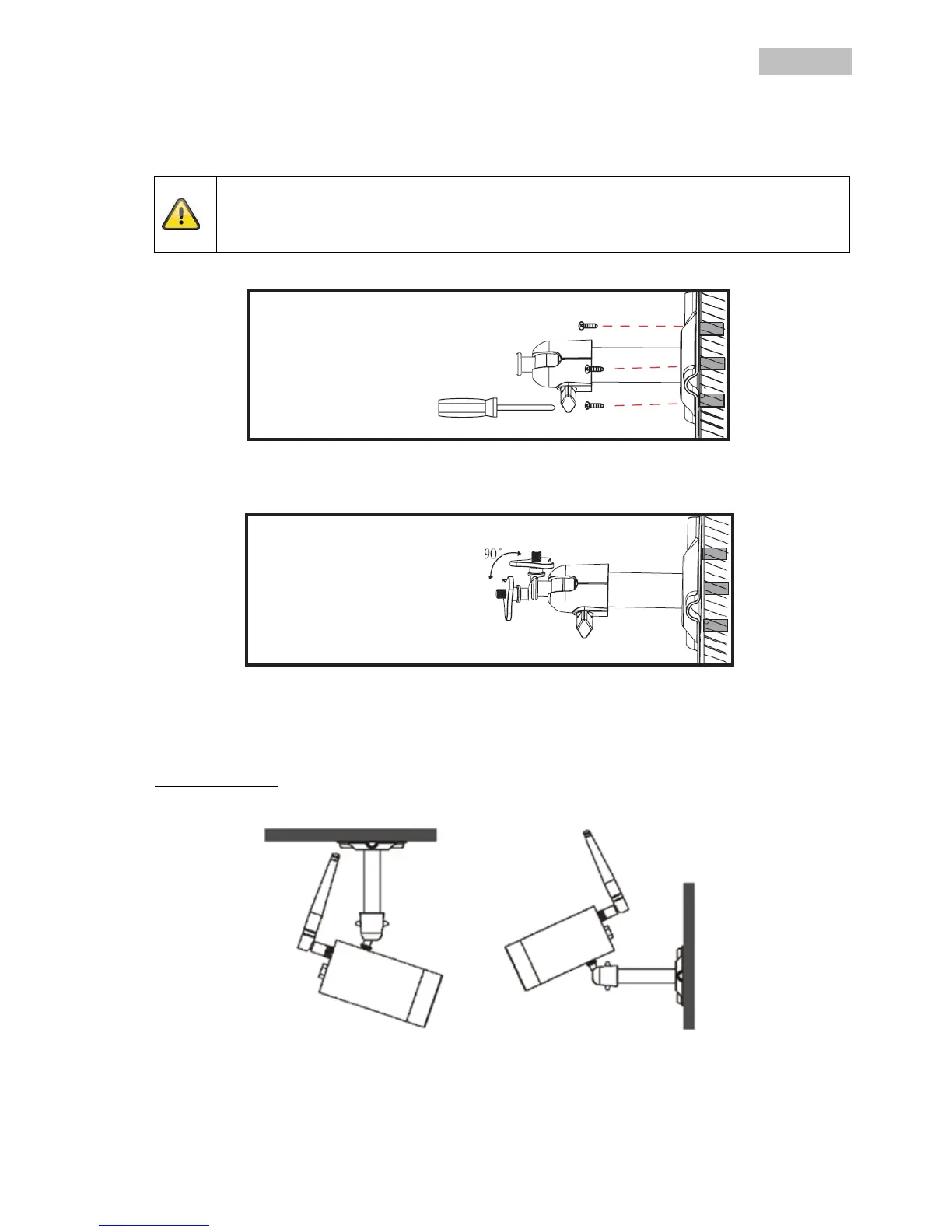
6.4 Mounting the camera
Use the camera mount to help you find a suitable place for installation. Use the drill holes to mark the
surface then drill the holes. Insert the wall plugs supplied before you attach the bracket with the screws.
Note:
Before you begin installing, make sure that the wireless transmission range is adequate at the
site of the required installation.
To do this, first screw in the antenna supplied.
You can also swivel the mount by 90° into a particular position. First loosen the screw on the side and set
the required angle. Then tighten the screw to secure the required position.
Finally, screw the camera onto the mount and connect the power supply unit with the camera.
Mounting options
Ceiling mounting
Wall mounting

Table of Contents

Related product manuals