EasyManua.ls Logo

Abus TVAC18000A - App Connection Status Display; Recorder Menu Structure Overview; Camera Settings Menu Options; Recorder Setup Menu Options

Abus TVAC18000A
Print Icon
To Next Page IconTo Next Page
To Previous Page IconTo Previous Page
Loading...
44
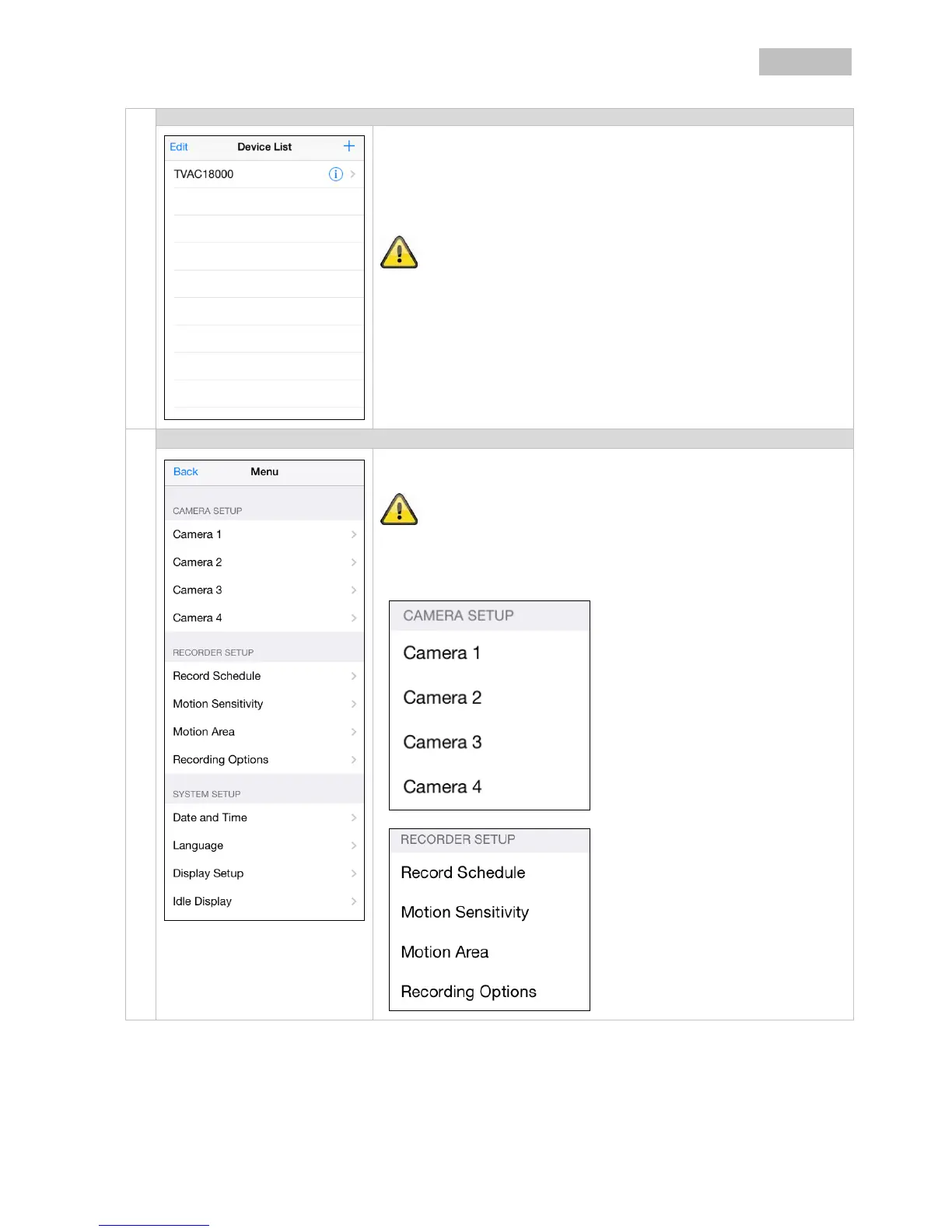
Connection status
If you have added your system successfully, the name of your system
and the name of your system and the corresponding DID appear in the
selection list.
Click on the name to go to the live view.
Press the Play button to start the live view.
Note that a maximum of 3 users only are able to access the device at
the same time.
Menu
Click on “System” or the menu item to open the recorder menu.
Note that live view via HDMI and recording are not possible while
configuring via app.
Camera settings
Pairing
Activation
Resolution
Quality
Recording
Schedule
Motion sensitivity
Motion area
Detection

Table of Contents

Related product manuals