68
English
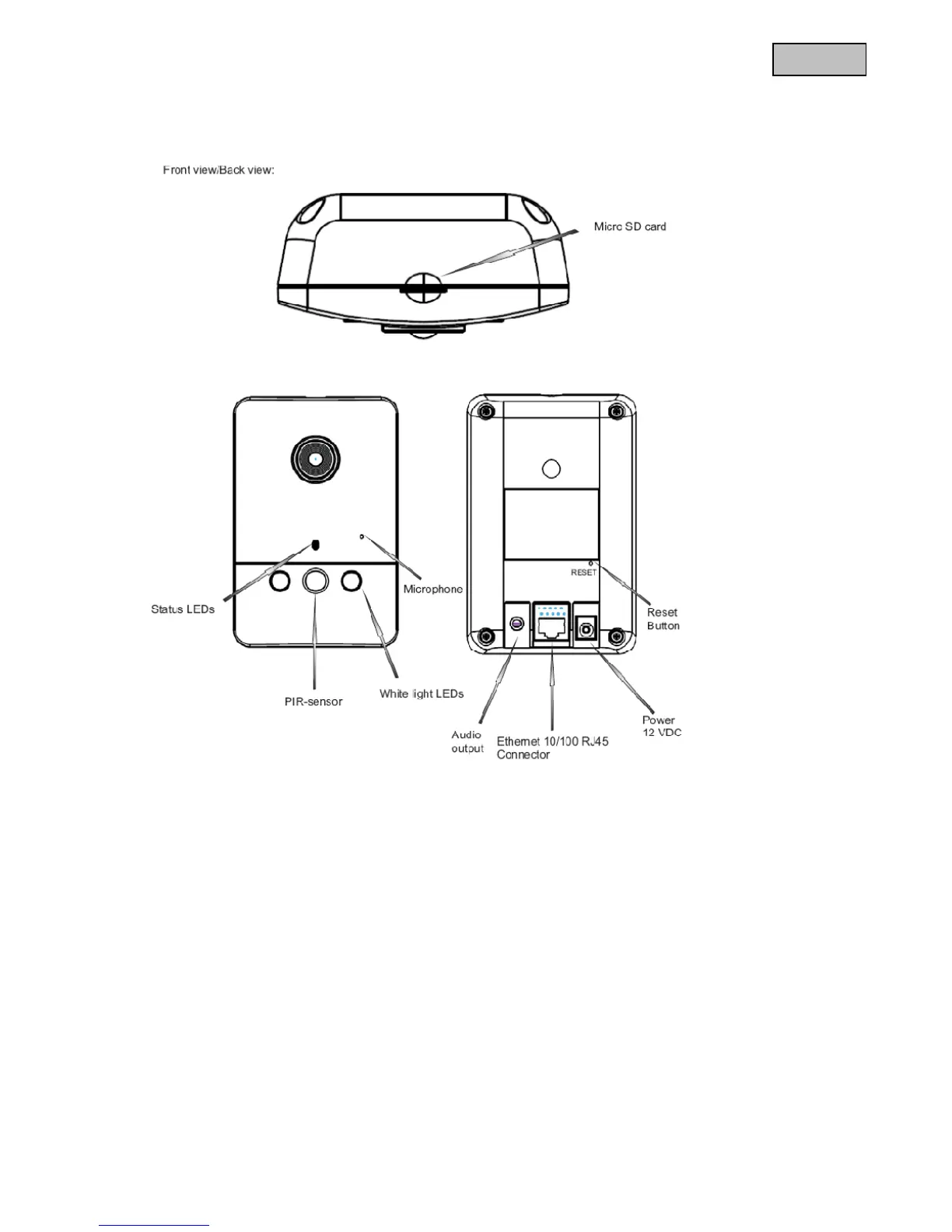
3. Camera description
3.1 Front view/Rear view
Micro SD card slot: Insert the Micro SD/SDHC card for storing video data here
Status LEDs: Camera status display. Detailed descriptions can be found in the following
PIR sensor: Integrated PIR sensor with a range of up to 5 metres
White light LEDs: Integrated white light LEDs with a range of up to 5 metres
Microphone: Integrated microphone for recording audio signals
Audio output: Audio output via connected loudspeakers, two-way audio function
Ethernet 10/100 RJ45 connector: Used for establishing a network connection via the RJ-45 plug
Integrated WLAN: Used for establishing a wireless network connection using WLAN 802.11 b/g/n
Voltage supply: Connection for 12 V PSU
Reset button: Manual restart or reset to factory settings



 To Next Page