EasyManua.ls Logo

Abus TVIP62500 - Adjusting the Security Settings; Password Prompt

Abus TVIP62500
Print Icon
To Next Page IconTo Next Page
To Previous Page IconTo Previous Page
Loading...
3.11
A
3.12 P
A
n admin
i
define a n
network c
a
The admi
n
time the n
name and
log in aga
To enter
a
Open Inte
You are t
h
A
djusting
t
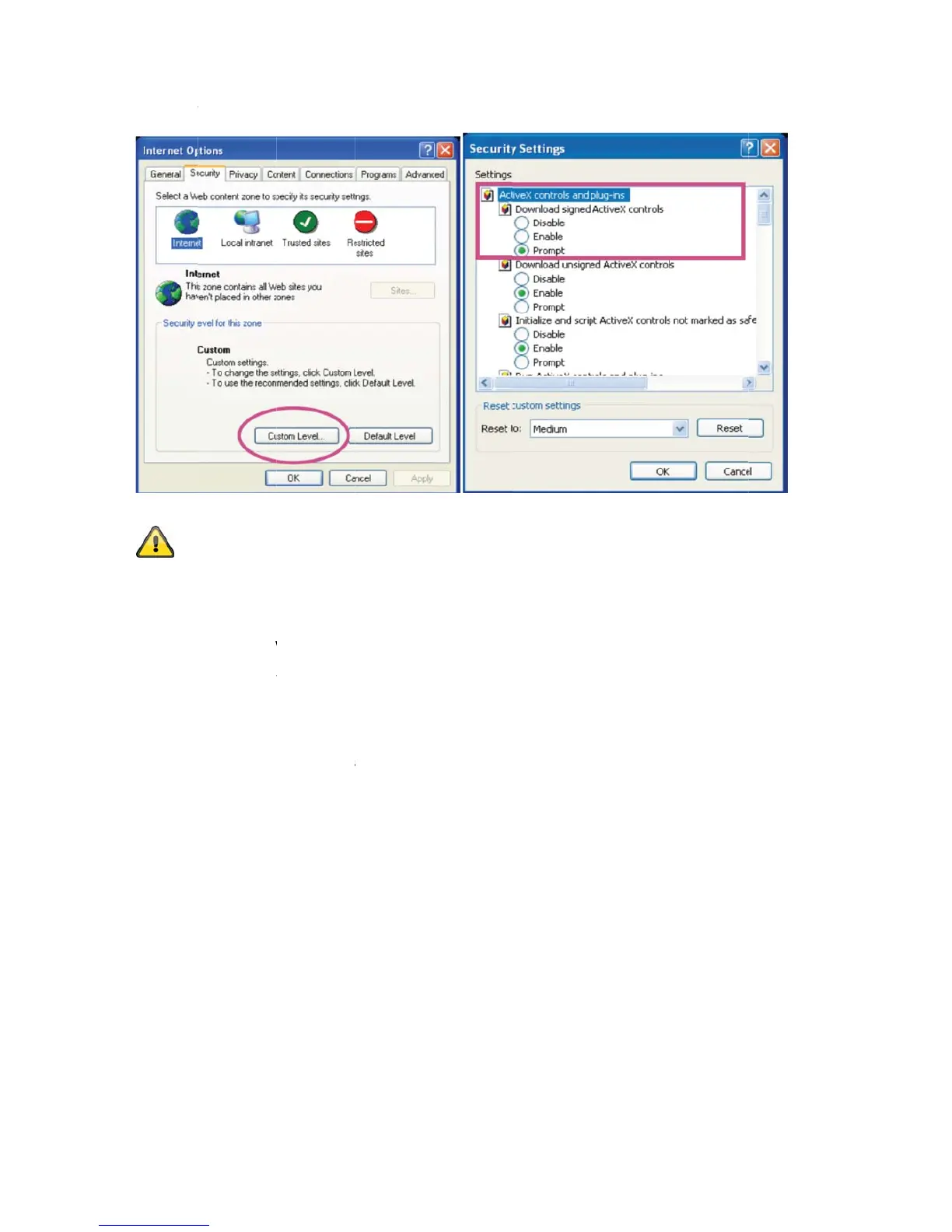
Note: Y
o
settings
t
controls
assword
p
i
strator pass
w
ew passwor
d
a
mera asks
f
n
istrator acc
o
etwork cam
e
d
password.
I
in with “ad
m
a
user name
rnet Explore
h
en prompte
d
t
he securi
t
o
ur PC secu
r
t
o a lower le
v
and downlo
a
p
rompt
w
ord is defi
n
d
immediate
f
or the user
o
unt is set a
s
e
ra is acces
s
I
f you can n
o
m
in”/“12345
a
and passw
o
r and enter
t
d
for authen
t
t
y setting
s
ity settings
m
v
el under “T
o
a
ds.
n
ed in the ne
ly for securit
n
ame and p
a
s
follows (fa
c
s
ed, the bro
w
o
longer acc
e
a
fter resetti
n
rd, proceed
t
he IP addre
s
t
ication:
53
s
m
ay prevent
o
ols/Interne
t
twork came
r
t
y reasons.
A
a
ssword ev
e
c
tory setting
)
w
ser display
s
e
ss your per
s
n
g the netwo
as follows:
s
s of the ca
m
a video stre
a
t
Options/Se
c
r
a as standa
r
A
fter the ne
w
e
ry time it is
a
)
: User nam
e
s
an authent
i
s
onal setting
r
k camera t
o
m
era (e.g. “h
t
a
m. You can
c
urity”. Mak
e
r
d. However
,
administrat
o
a
ccessed.
e
= “admin”;
cation wind
o
s in the ad
m
o
the factory
s
t
tp://192.16
8
n
change the
e
sure you e
n
, the admini
s
o
r password
password =
o
w and asks
m
inistrator ac
c
settings.
8
.0.200”).
security
n
able Active
X
s
trator shoul
d
is stored, th
12345”. Ea
for the user
c
ount, you c
a
X
d
e
ch
a
n

Table of Contents

Related product manuals