63
IP Filter
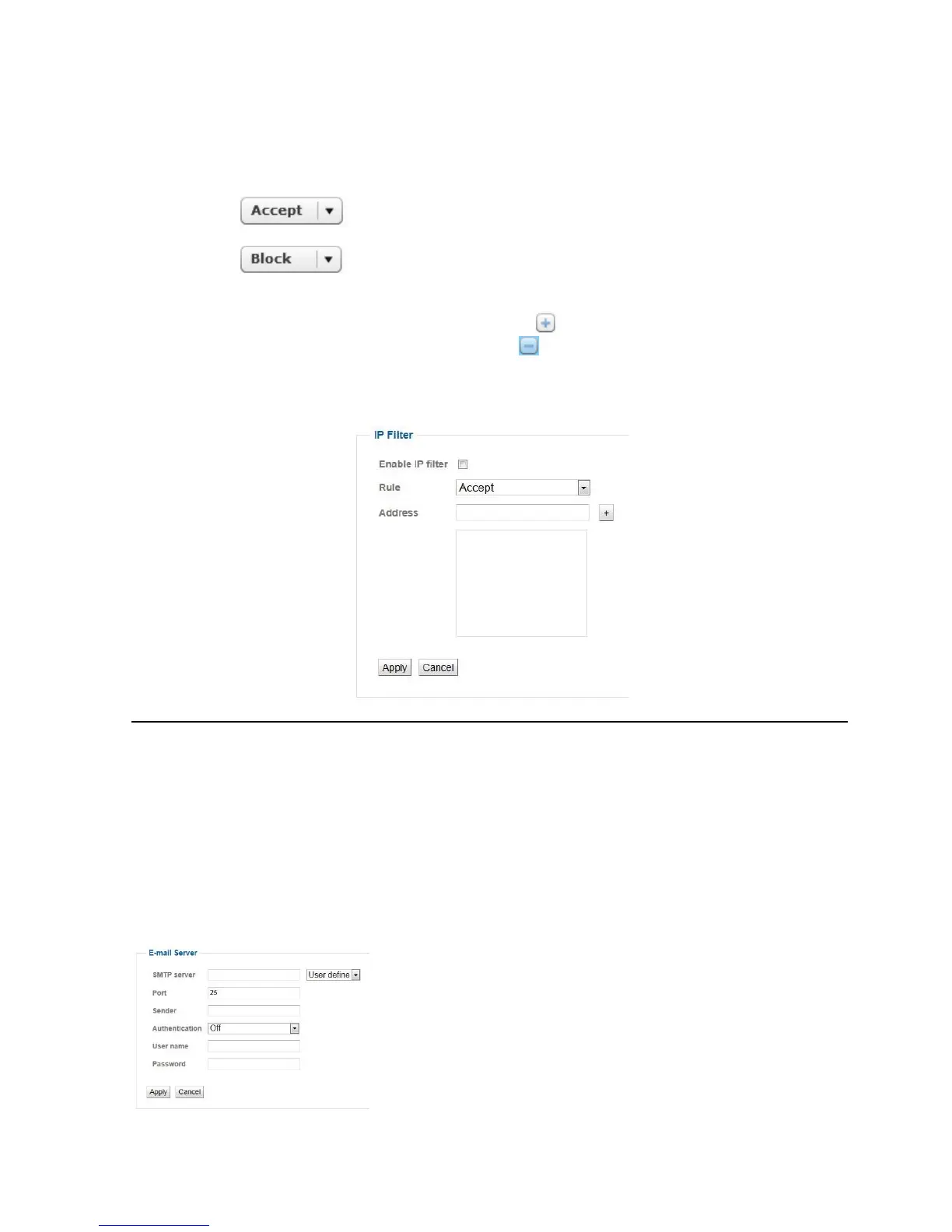
The IP filter function is used to block or permit IP addresses or IP address areas that try to access the
network camera.
Enable: Checking this box activates the IP filter function.
Rule: The IP addresses set using the filter are accepted for accessing the network
camera.
The IP addresses set using the filter are blocked from accessing the network
camera.
Address: Entry of the IP addresses or address areas. The start and end IP addresses in the address
areas are separated by the “-” character. The button adds the desired IP addresses to the
list. Entries can be deleted by pressing the button.
Example of an individual IP address: 192.168.0.77
Example of an IP area: 192.168.0.2-192.168.0.220
E-mail server
SMTP Server: Enter the SMTP server name of the email sender (eg smtp.web.de).
Port: The SMTP server port defaults to 25th If necessary not an alternate port number can
be assigned.
Sender: This is the email address of the email account.
Authentication: You can set the authentication type for the e-mail account permanently.
Username: Username of the e-mail account
Password: Password for the email account



 To Next Page