83
9.6 Patrol settings
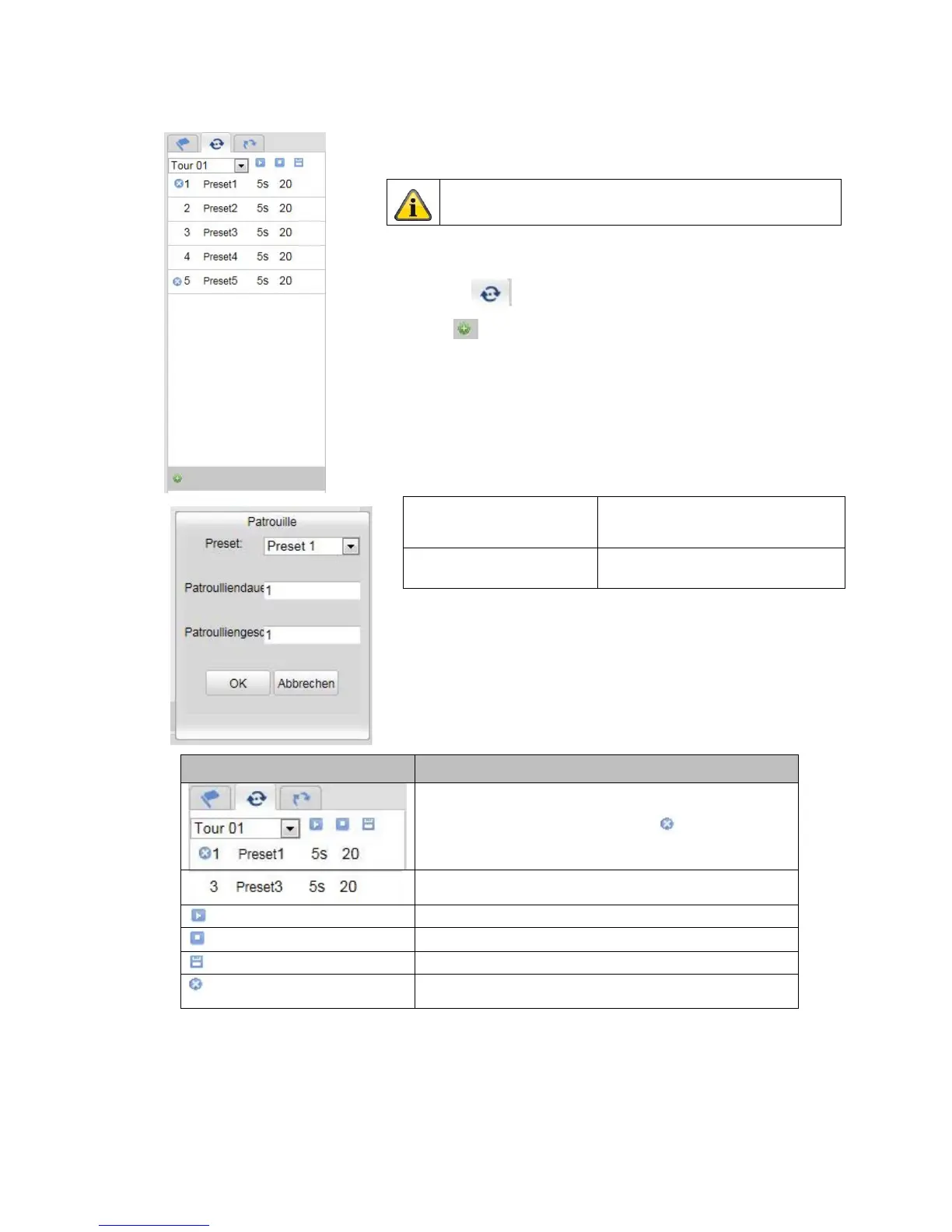
A patrol consists of a series of presets. You can create up to 8 patrols, each
with up to 32 presets.
To create a new patrol, proceed as follows:
Select the Patrol tab . Select the desired patrol. To add presets to the
patrol, click on the button.
Select the desired preset and set the patrol duration and speed.
Button Description
Select the desired patrol
The patrol is reset by clicking on the
button for
preset 1
Added preset position with patrol duration and patrol
speed
Start patrol
Stop patrol
Save patrol
Delete the preset position; doing this for preset 1 will
delete the entire patrol
Please note that the presets that should be added to a
patrol are predefined.
Patrol duration Dwelling time at a preset position.
After the time has elapsed, the
camera switches to the next preset
Patrol speed Set the speed of motion to the next
preset



 To Next Page