105
Authentication
If the email server in use requires authentication, enable this function to be able to log onto the server with
authentication.
User names and passwords can only be entered once this function has been enabled.
User name
Enter the user name of the email account here. This is the part before the @ symbol.
Password
Enter the password of the email account here.
Confirm
Confirm the password by entering it again.
Receiver
Receiver1/Receiver2
Enter the name of the receiver here.
Receiver1's Address / Receiver2's Address
Enter the email address of the person to be informed here.
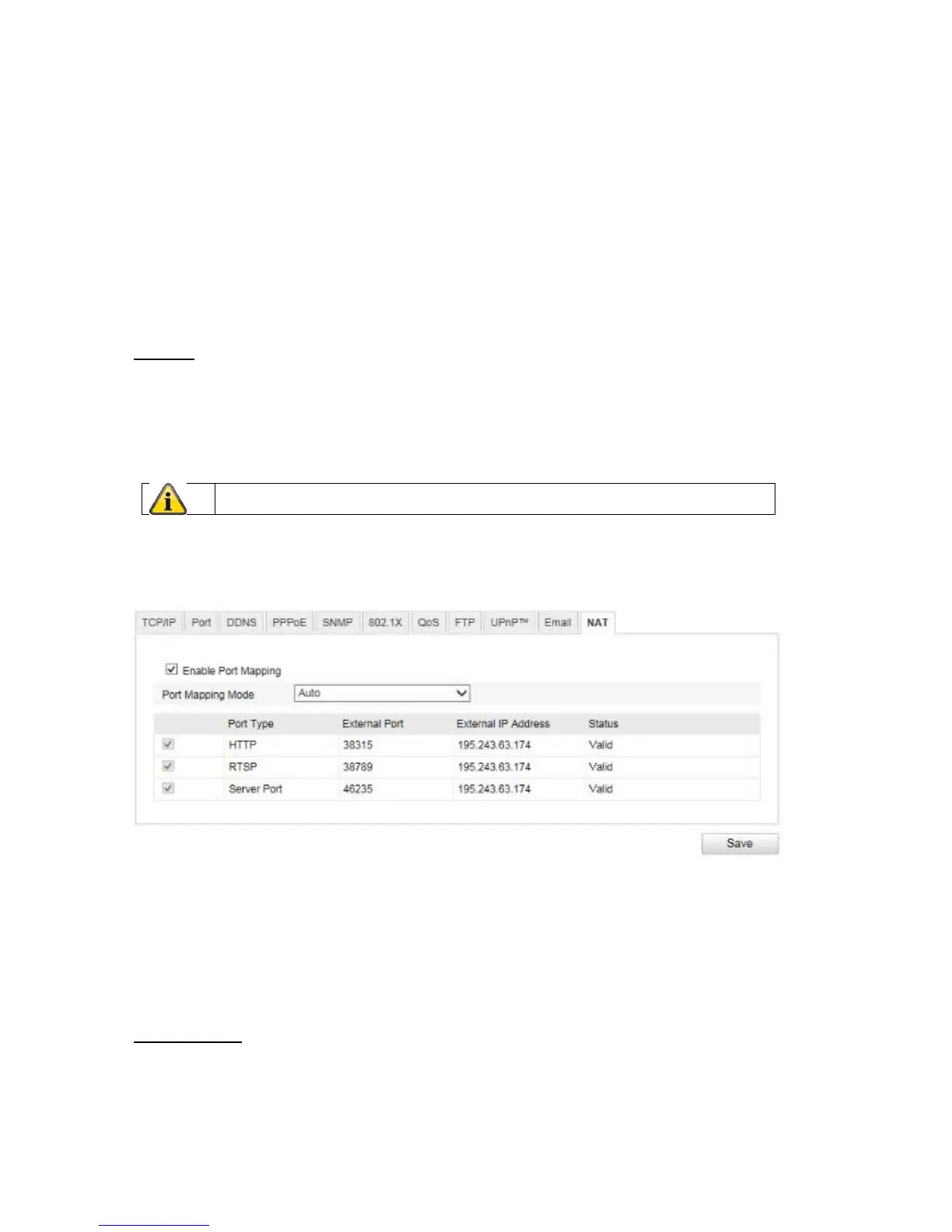
10.3.2.11 NAT
Enable Port Mapping
This enables Universal Plug and Play port forwarding for network services. If your router supports UPnP, then
port forwarding for video streams is enabled automatically on the router for the network camera using this
option.
Port Mapping Mode
Select here whether you wish to conduct port mapping automatically or manually.
You can choose between 'Auto' and 'Manual'.
Protocol Name:
HTTP
The standard port for HTTP transmission is 80. This port can alternatively be assigned a value in the range of
1025~65535. If several IP cameras are located on the same subnetwork, each camera should have its own
unique HTTP port.
Apply the settings by clicking 'Save'.



 To Next Page