34
English
5
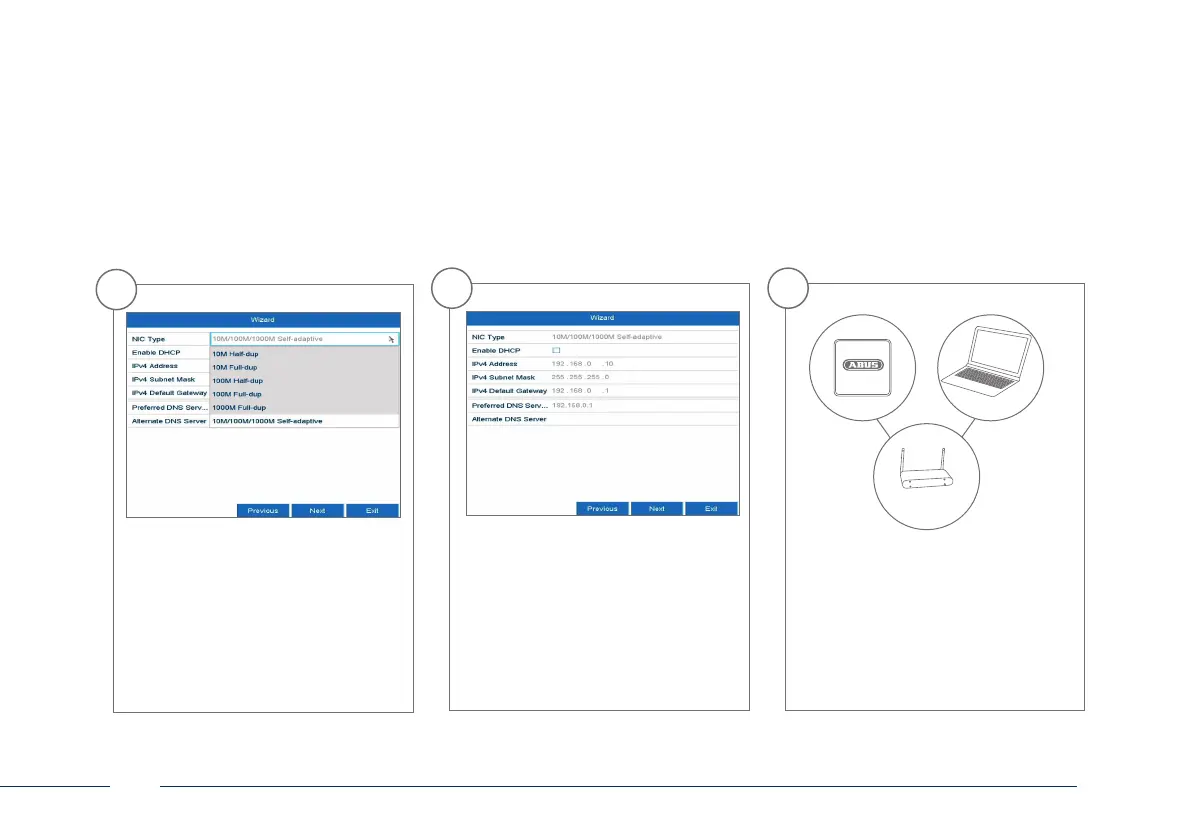
If you wish the address data to
be automatically assigned, tick
the “Enable DHCP” checkbox. The
addresses will then be automatically
assigned by your router (where
supported).If proceeding in this way,
move on to point 11.
6
If your router does not automatically
assign the address data, enter the
data according to the following steps.
The image gives an example of
connected devices with the corres-
ponding IP addresses.
192.168.0.1
192.168.0.25192.168.0.20
4
Set the adapter speed tye ‚NIC type‘
manually. Default and recommended
setting is the automatic detection
(Self adaptive).



 To Next Page