38
English
17
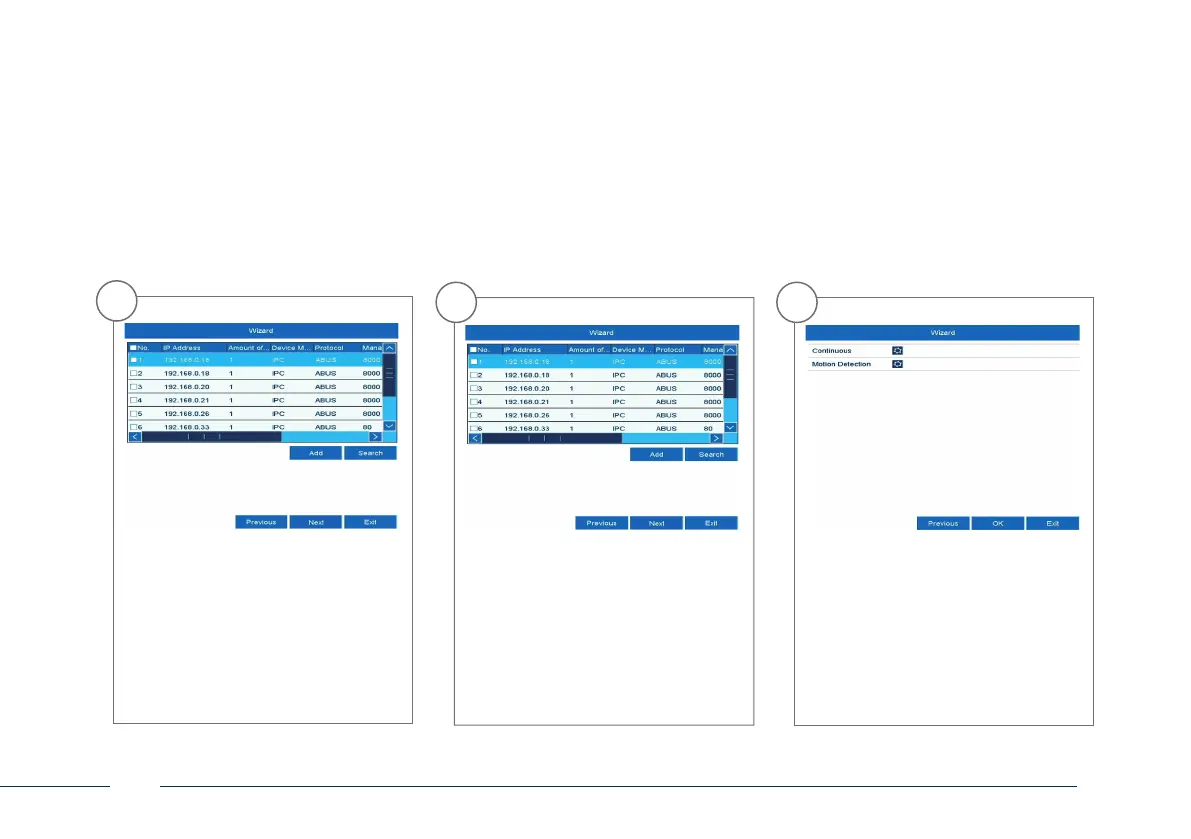
You will nd all the compatible
network cameras below. Tick the
checkbox of the network cameras you
wish to use and click on “Add”. Go to
the next screen with “Next”.
18
Select the recording type. It is possible
to select between “Continuous“ and
“Motion detection“. Close the set-up
wizard by clicking “OK”.
16
Click on “Search” to look for available
network cameras in the network.



 To Next Page