Device menu
Device menu
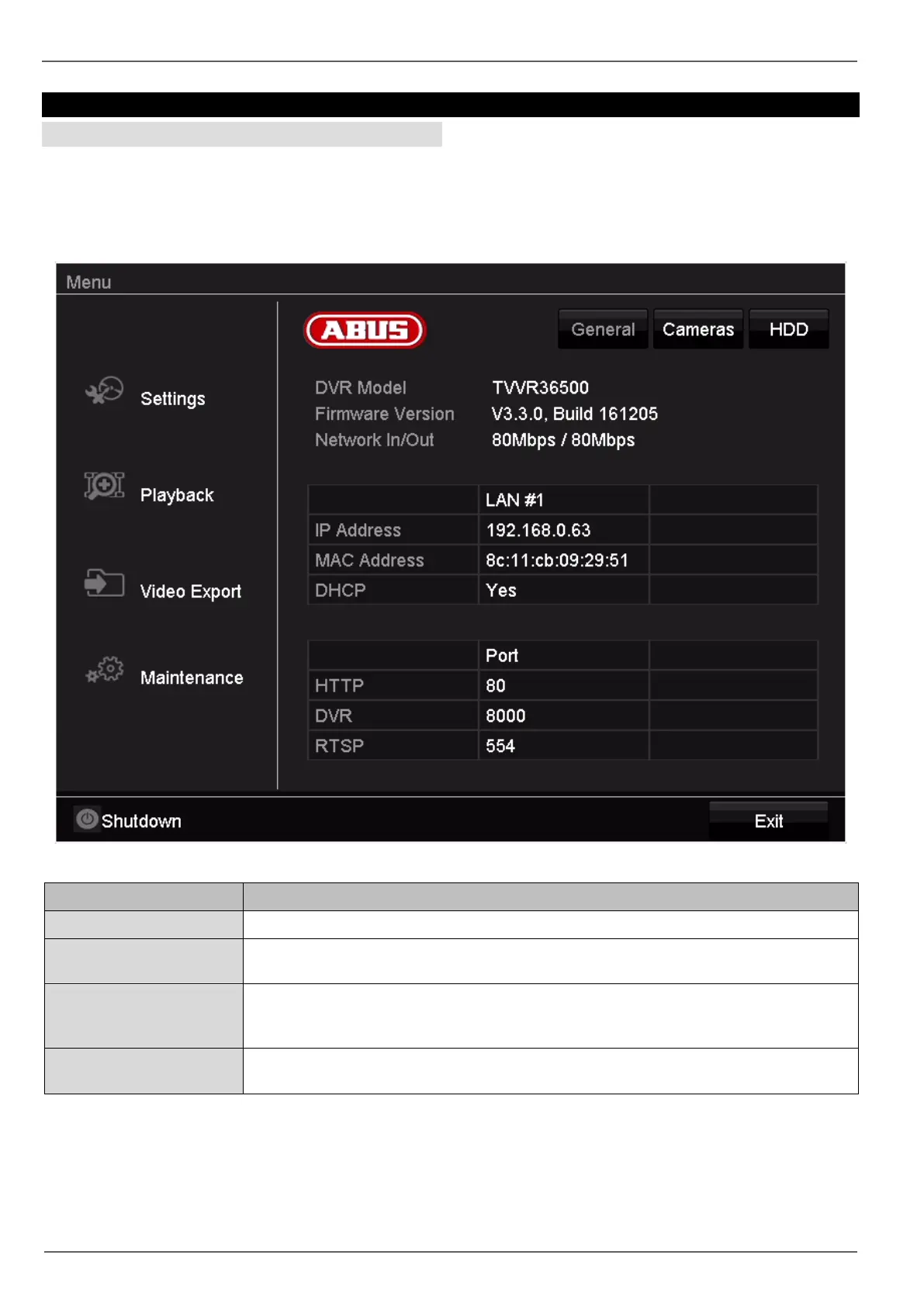
Menu overview
The following menu overview shows the main menus
used to set and control the device.
You can also see important information about your de-
vice on the right-hand side.
Click on the menu you need to open it.
• Click on Exit to close the menu overview.
Menu Description
Settings Leads to the Configuration, Camera, Recording, HDD and Playback menus.
Playback Parameter-controlled search for video or image recordings which were triggered by
events such as motion detection, as well as tags set in playback.
Video export Parameter-controlled search for video or image recordings which were triggered by
events such as alarms or motion detection, as well as alarm events and tags set in
playback.
Maintenance System information, searching logs, importing/exporting configurations, device mainte-
nance such as upgrading to new firmware, loading defaults, displaying traffic.
25



 To Next Page