Main menu
114
Main menu
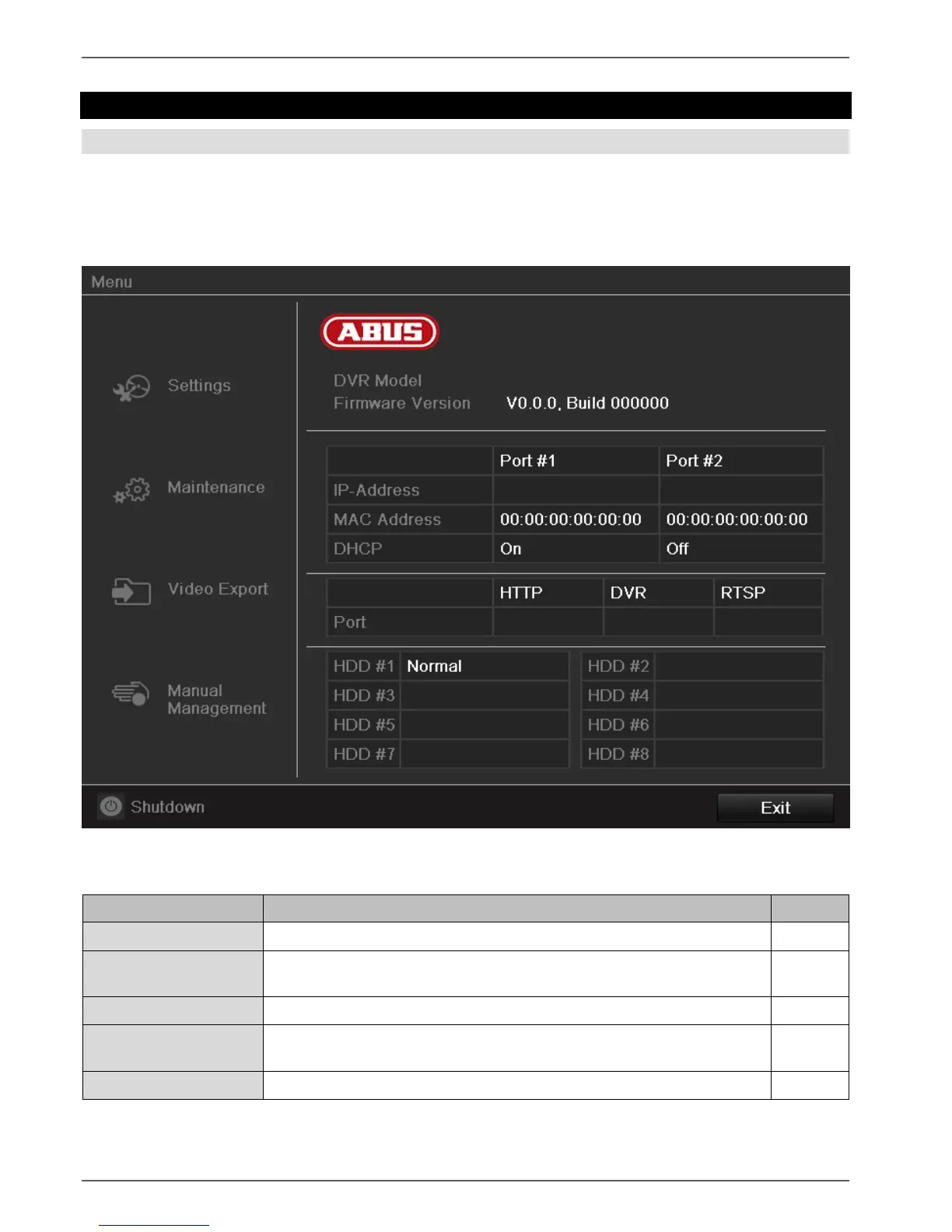
Menu overview
The following overview shows the main menus used to set and control the device.
Furthermore you can find important information regarding the devide on the right side of the menu.
Click on the menu to open it.
Click Exit to close the menu overview.
Menu description
Includes the menus Configuration, Camera, Record, HDD, Playback.
Device maintenance (new firmware update, log search, import/export con-
figuration, reset to factory defaults etc Display network utilization.
Feature for exporting saved recordings onto USB media.
Starts or ends the manual video and image recording of selected cameras,
as well as the manual switching of alarm outputs.
Lock, shutdown or restart the device.



 To Next Page