Settings - Configuration
129
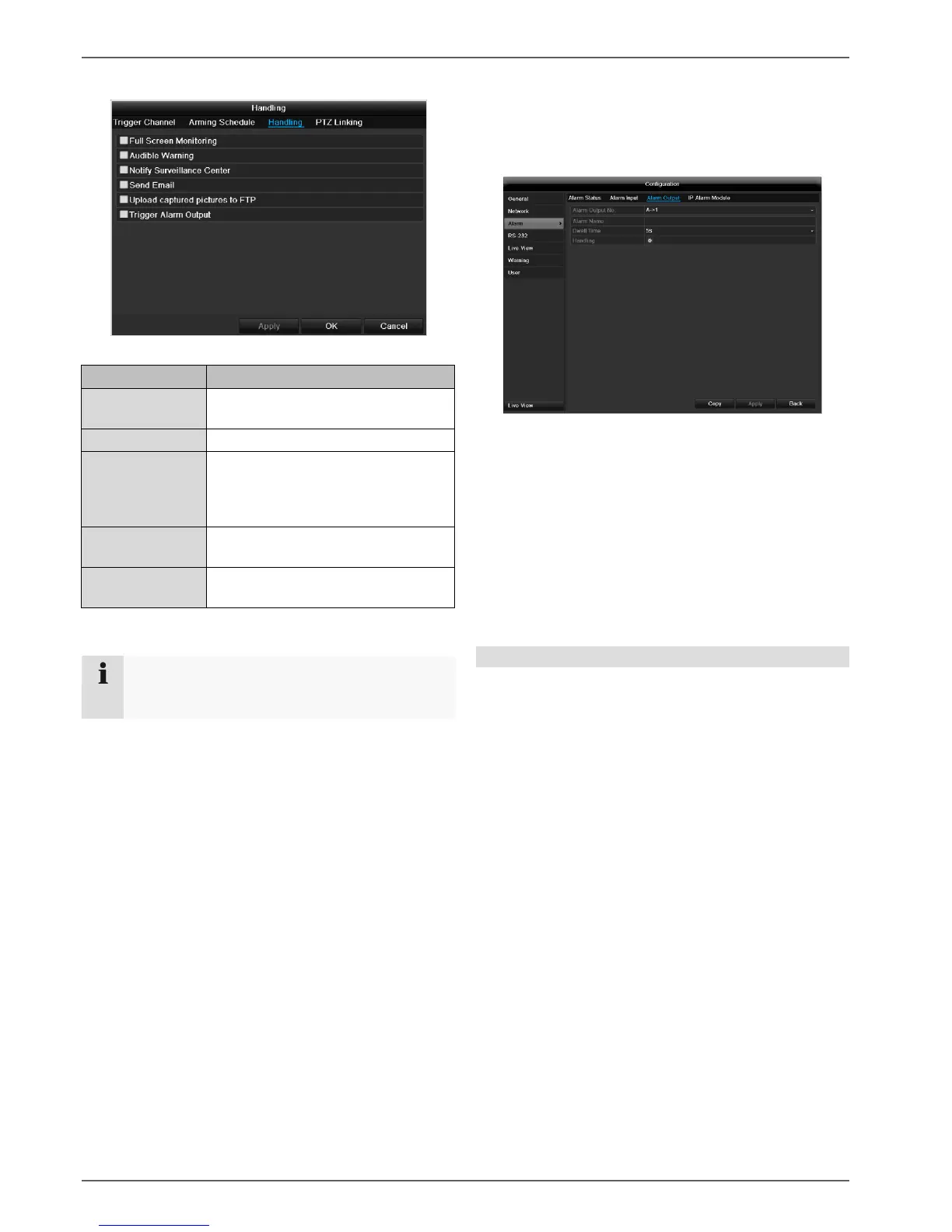
TAB Handling
Define the response in the case of an alarm:
A message appears on the monitor.
The device emits a repeating tone.
Notify Surveil-
lance Center
Sends an alarm signal to a PC with
ABUS CMS software. The software
must be enabled and the recorder
set to surveillance mode on the PC.
An e-mail is sent to a specific e-mail
address (see page 124).
see also page Fehler! Textmarke
nicht definiert.
Confirm the settings by clicking Apply and leave the
menu with OK.
TAB PTZ Linking
Currently no functioning.
Alarm output
1. Select an alarm output to be configured in the
drop-down menu under “Alarm Output No.”.
2. Assign any name to the alarm output in “Alarm
Name”.
3. In “Dwell Time”, select how long the alarm is trig-
gered for.
4. In “Handling”, select the schedule for the alarm
output.
5. Click Copy to apply these settings for other alarm
outputs.
6. Confirm the settings by clicking Apply and leave
the menu with OK.
Note
To record with the aid of an alarm, you must set
up the schedule under Recording (see p. 135).



 To Next Page