20
PROGRAMMING
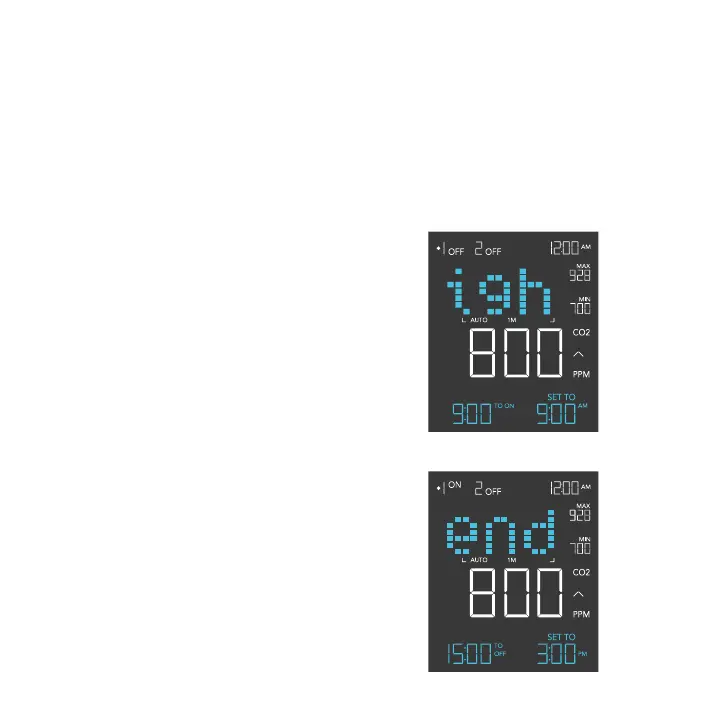
STEP 1 - NIGHT 1 START
Press the up or down button to first set up a
START clock-time in NIGHT 1 START to turn
your device off.
STEP 2 - NIGHT 1 END
Press the mode button to navigate to NIGHT
1 END and set an END clock-time to turn your
device on. This option will only appear if you set
NIGHT 1 programming.
STEP 3
Repeat these steps in NIGHT 2 if you have a
device plugged into Outlet 2.
The countdown will begin if no buttons are
pressed for 5 seconds. The time left on the
countdown before the next ON or OFF phase is
displayed on the lower left corner.
NIGHT SETTING
Shuts off your device within a set timeframe, turning back on when the schedule ends. This will
override all programming set in Outlet 1 or Outlet 2, even while away from this setting. Make sure
the system clock time is correct before adjusting this setting. NIGHT 1 programs Outlet 1 while
NIGHT 2 programs Outlet 2.


 To Next Page