22
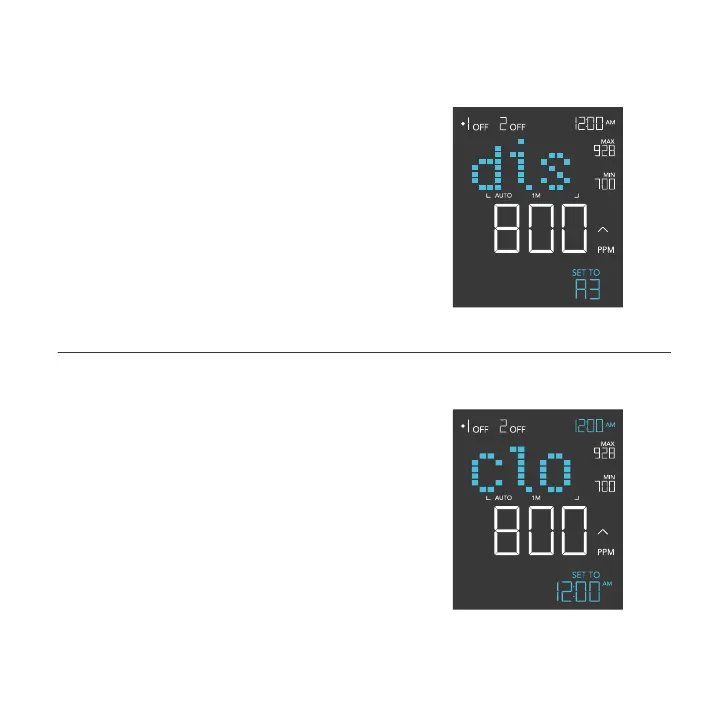
DISPLAY SETTING
Adjusts the display brightness and auto-dimming. Press
the up or down button to cycle through levels 1, 2, 3, A2
and A3; 3 being the highest brightness setting, while 1
is the lowest. In settings 1, 2 and 3, the display will stay
at that brightness level and will not automatically dim
the display.
A2 and A3 will set the brightness level at 2 and 3,
respectively, and will dim down the brightness level 1
when the controller is not being used after 15 seconds.
PROGRAMMING
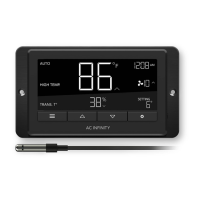
CLOCK SETTING
Adjusts the current clock time. Press the up or
down button to increase or decrease the time. Once
you cycle through 12:00 each time, the units will
automatically change to AM or PM. The clock time is
located at the lower left corner of the display.


 To Next Page