15
PROGRAMMING
QUICK START
Press the MODE button until you are on AUTO mode. This mode works like a thermostat. Press
the up and down triangle buttons to change the SETTING temperature on the screen. The PROBE
temperature is what the thermal probe is measuring. When the PROBE temperature exceeds the
SETTING temperature, the fans will start running.
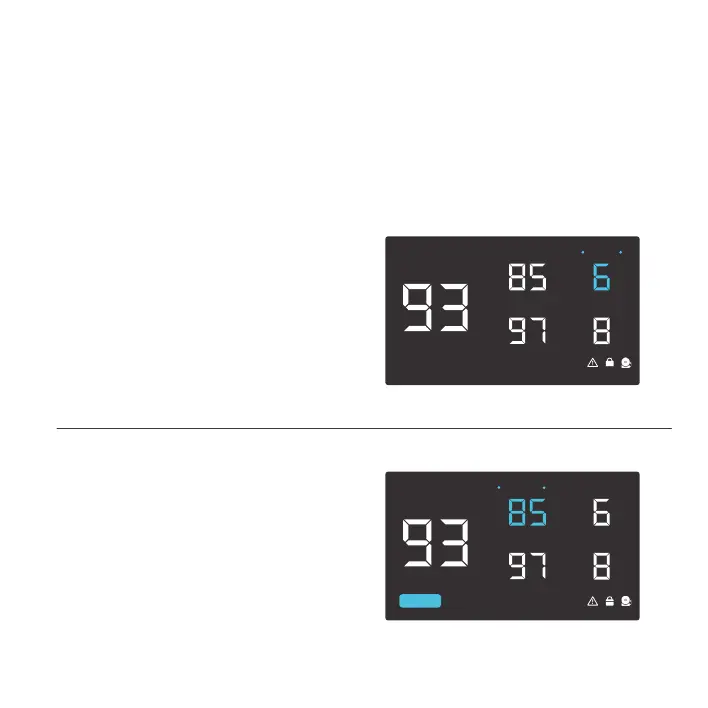
SPEED SETTING
In this mode, the fans will run continuously
regardless of the temperature. Use this
mode to set the fan's maximum blowing
strength, ranging from 0-6, in AUTO mode
and SMART mode.
F
o
F
o
F
o
F
o
SETTING
PROBE
SPD
ALARM
SPEED
BUFFER
AUTO MODE
In this mode, the fan will start running when
the probe temperature meets or exceeds
the set temperature. Press the up and down
buttons to set the temperature at which the fan
starts spinning. The fan will stop running when
the probe temperature falls below the setting
temperature by at least 2°F (1°C). See the next
page for more information on this buffer.
F
o
F
o
F
o
F
o
SETTING
PROBE
ALARM
SPEED
BUFFER
AUTO



 To Next Page