17
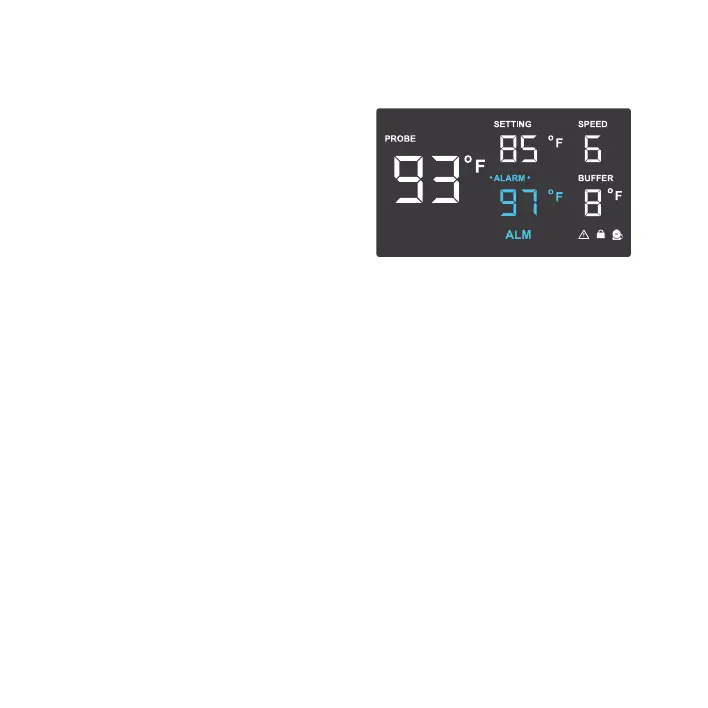
ALARM SETTING
Pressing the up and down button sets a high
temperature alarm. If the probe’s reading
exceeds the set temperature, the alarm will
sound, its icon will flash, and the fan will
run at max speed regardless of fan speed
settings in other modes.
To activate the alarm, leave the alarm mode.
The alarm will turn off if the probe’s reading
falls below the set temperature or if any
button is pressed. You can also disable the
alarm by cycling the temperature setting until
it displays OFF.
PROGRAMMING



 To Next Page