19
PROGRAMMING
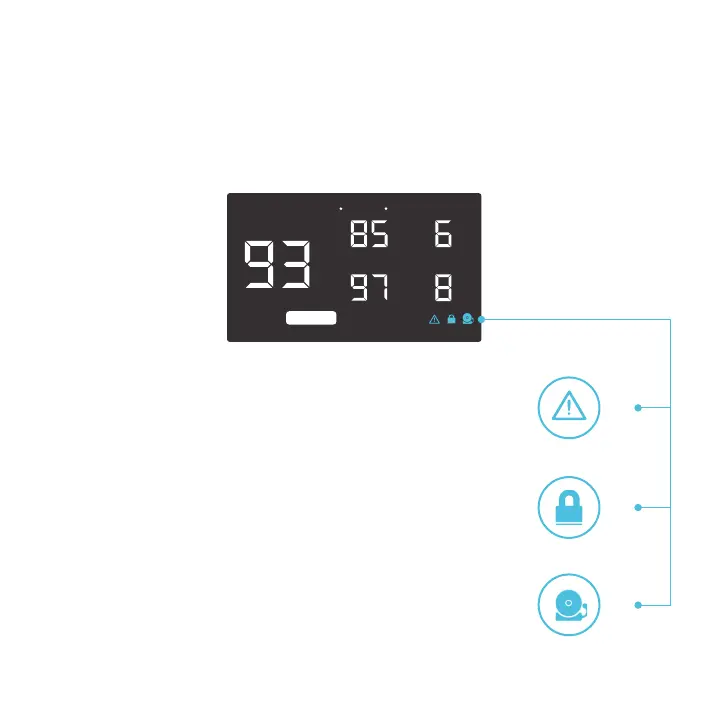
ALERT ICONS
The bottom right of the display shows the alert icons. Icon placement will differ between models. Icons
may flash when the controller signals an alert to tell you if a function or alarm is being triggered.
F
o
F
o
F
o
F
o
SETTING
PROBE
ALARM
SPEED
BUFFER
SMART
CHECK FAN ALERT
This icon will flash when the fan’s probe senses interference to its
functioning. Check the fan for possible issues. If the fans are not
spinning, please see the warranty page for replacement information.
DISPLAY LOCK ALERT
This icon is visible when the controller has been locked. The icon will
flash to alert you that the controller is locked if you try to change the
mode or settings.
ALARM ALERT
This icon will flash when the high temperature alarm has been triggered.



 To Next Page