20
ADDING MORE FANS
CLOUDPLATE SERIES
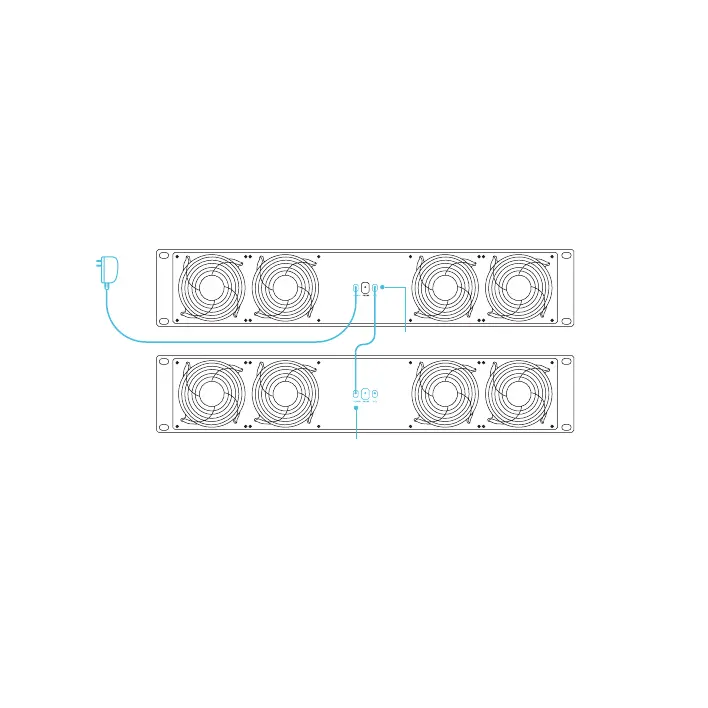
The extension (EXT) port allows you to connect an additional unit (secondary), which can be
controlled using the parent unit (primary) and will share the same temperature control settings. To
sync the two CLOUDPLATE fans’ settings, set the secondary unit’s fan speed to max, turn off its
alarm setting and leave it in SPEED mode.
To daisy chain two units together, plug in a daisy chain cord (sold separately) into the primary unit’s
EXT port. Plug the cord’s other end into the secondary unit’s power port.
Your parent unit will override all on-board settings, assume control (parameters must be adjusted
on your parent unit), and shut off your secondary unit's display when connected in this manner.
Power Ports
EXT. Ports



 To Next Page