28
4
ADD A DEVICE
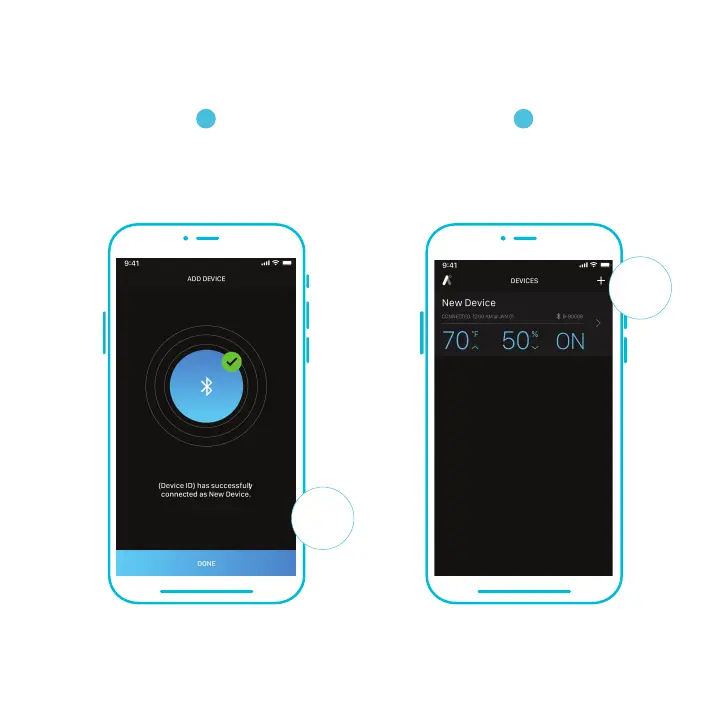
Your controller will appear in your smart device
with a unique ID.
B-B000B
DONE
3
Once the app displays the pairing success
screen, tap the DONE button to finish the
pairing process. This may take a few seconds
to complete.
Please note: when pairing the app around multiple controllers, move your mobile device closer to your desired controller.


 To Next Page