Setting Up a Wireless Internet Connection
You can set up your device for a wireless Internet connection. You must have access to a local
Wi-Fi network. In the Accent, Wi-Fi and Bluetooth are always turned on.
PRC is not responsible for the setup of your wireless network.
If you have, and can use, a USB mouse, you can plug it into your device and use it to select
icons on your desktop.
1. Turn your device on.
2. Select the Tools key on the right side of the front of the case or select the Tools key to the
right of the text display area.
3. Select the Toolbox key from the Tools menu.
4. Select Maintenance Menu from the Toolbox.
5. Select Hardware Diagnostics.
6. Select Network Setup.
7. From the Network screen, select the Connect or disconnect link.
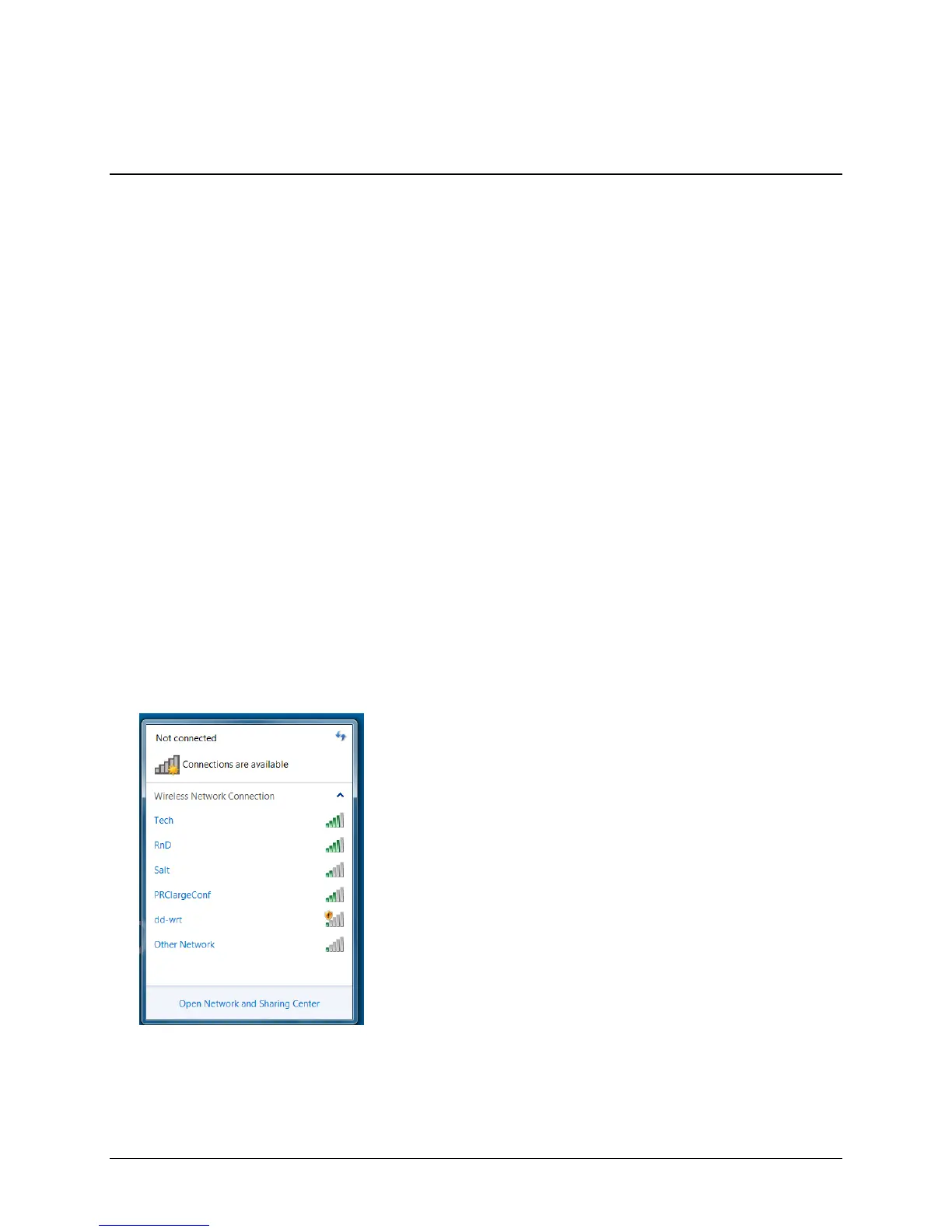
8. You will see a list of available networks to connect to and their signal strength. If you are at
home, your home network should be visible. If you are at school or work, you will probably
see more networks to choose from.
Accent 1000 Hardware Manual 22



 To Next Page