36
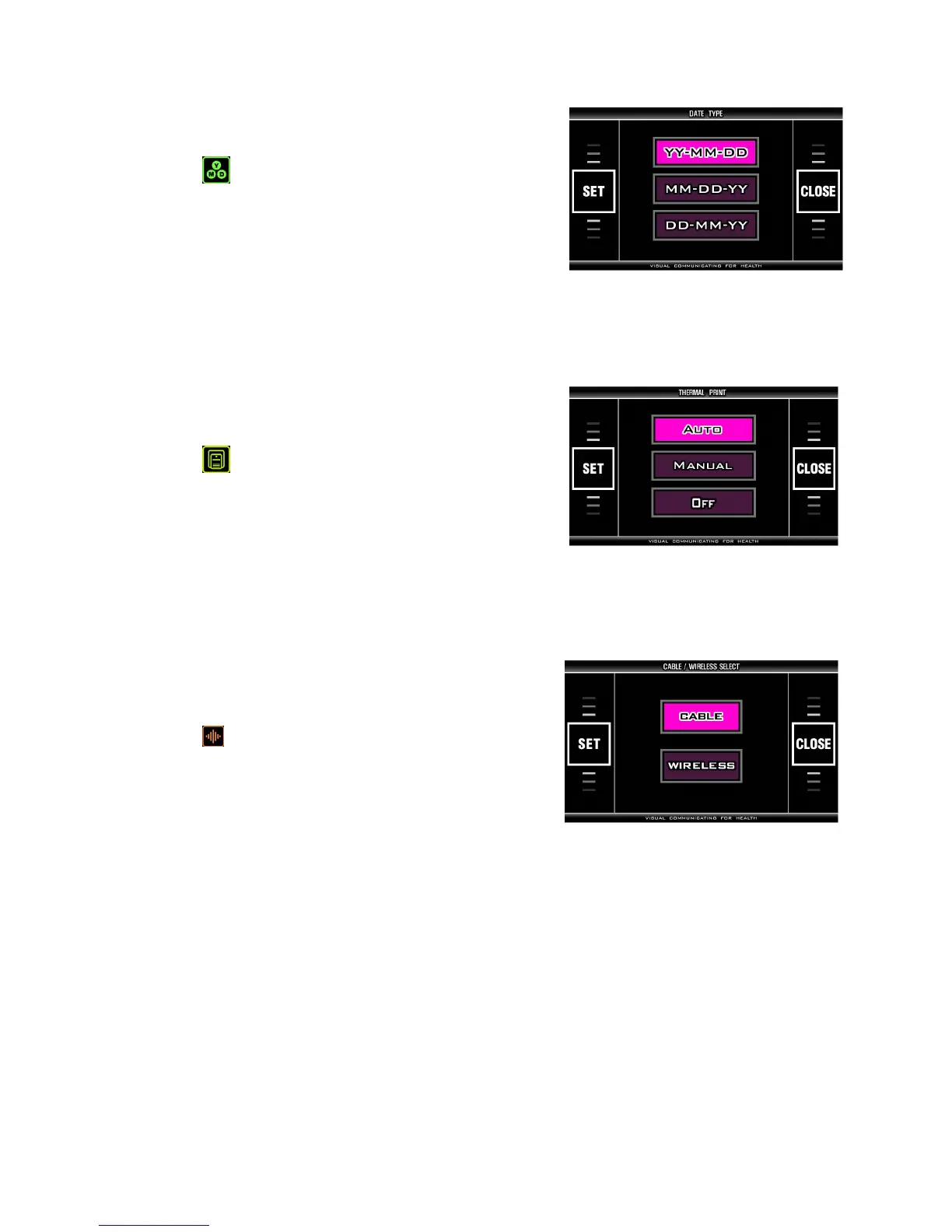
< DATE TYPE >
This is to set the format of the date.
- Select (DATE TYPE) on SYSTEM SETUP screen
and press ‘SET’ button on touch pad.
- Pre-set: YY-MM-DD
- Choose the format on touch pad.
- Press ‘SET’ button on touch pad to save it.
- Return to SYSTEM SETUP screen by pressing ‘CLOSE’ button on touch pad.
< THERMAL PRINT >
It selects the printing mode of thermal printer.
(Thermal printer is option.)
- Select (THERMAL PRINT) on SYSTEM SETUP
screen and press ‘SET’ button on touch pad.
- Pre-set: OFF
Choose ‘AUTO’ or ‘MANUAL’ or ‘OFF’ on touch pad.
- Press ‘SET’ button on touch pad to save it.
- Return to SYSTEM SETUP screen by pressing ‘CLOSE’ button on touch pad.
< Communication >
Select the connecting method. 'CABLE' is for USB cable
and 'WIRELESS' is for wireless communication.
- Select (COMMUNICATION) on SYSTEM SETUP
screen and press ‘SET’ button on touch pad.
- Preset: CABLE
- Choose CABLE or WIRELESS on touch pad.
- Press ‘SET’ button on touch pad to save it.
- Return to SYSTEM SETUP screen by pressing ‘CLOSE’ button on touch pad.


 To Next Page