3
English
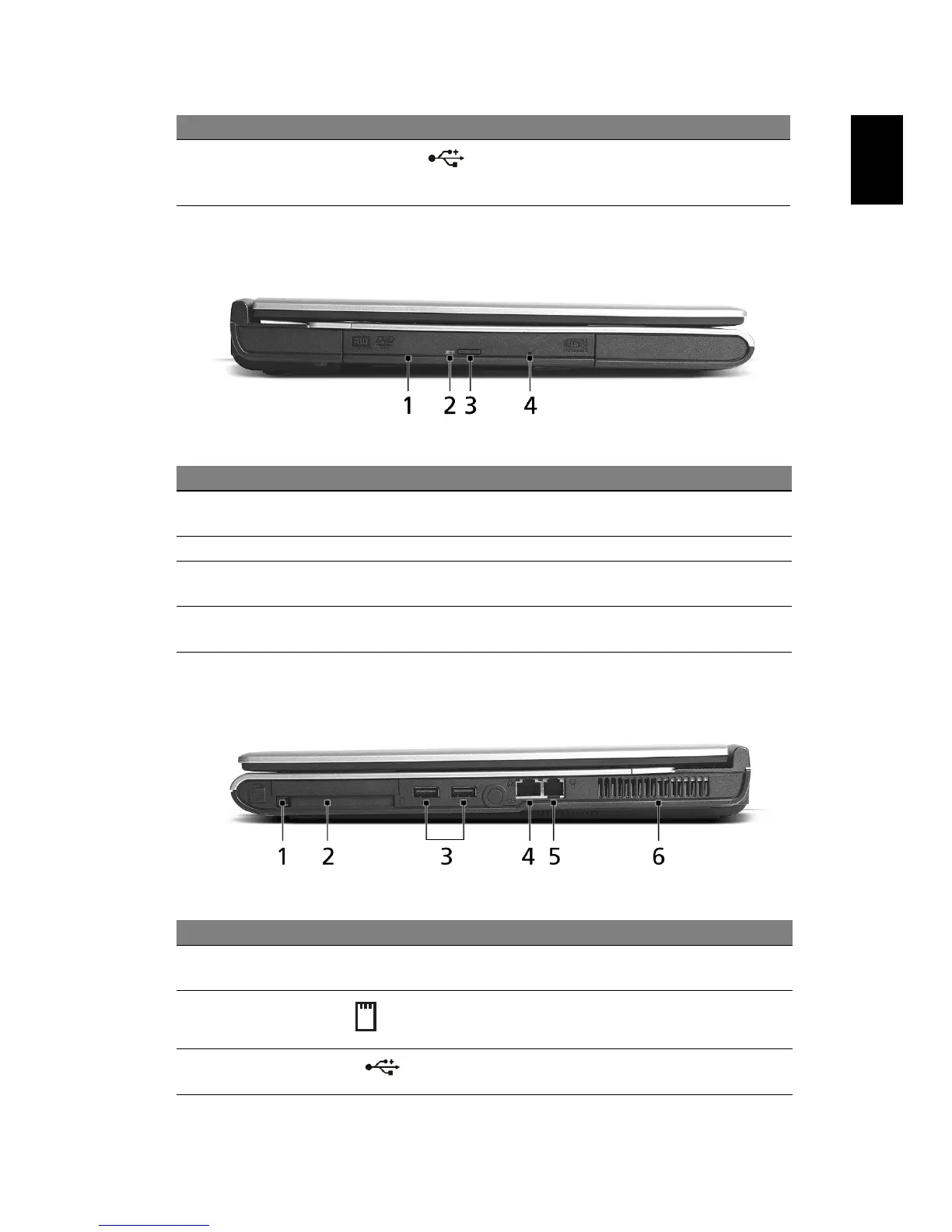
Left view
Right view
9 USB 2.0 port Connects to Universal Serial Bus (USB)
2.0 devices (e.g., USB mouse, USB
camera).
# Item Description
1 Optical drive Internal optical drive; accepts CDs or DVDs
depending on the optical drive type.
2 LED indicator Lights up when the optical drive is active.
3 Emergency eject hole Ejects the optical drive tray when the computer
is turned off
4 Optical drive eject
button
Ejects the optical drive tray from the drive.
# Item Description
1 PC Card slot
eject button
Ejects the PC Card from the slot.
2 PC Card slot Accepts one Type II CardBus PC Card.
3 Two USB 2.0
ports
Connect to Universal Serial Bus (USB) 2.0
devices (e.g., USB mouse, USB camera).
# Item Description


 To Next Page