4
English
Note: The positions of the AcerMedia indicator, eject button and
emergency eject hole may differ depending on the optical drive
module installed.
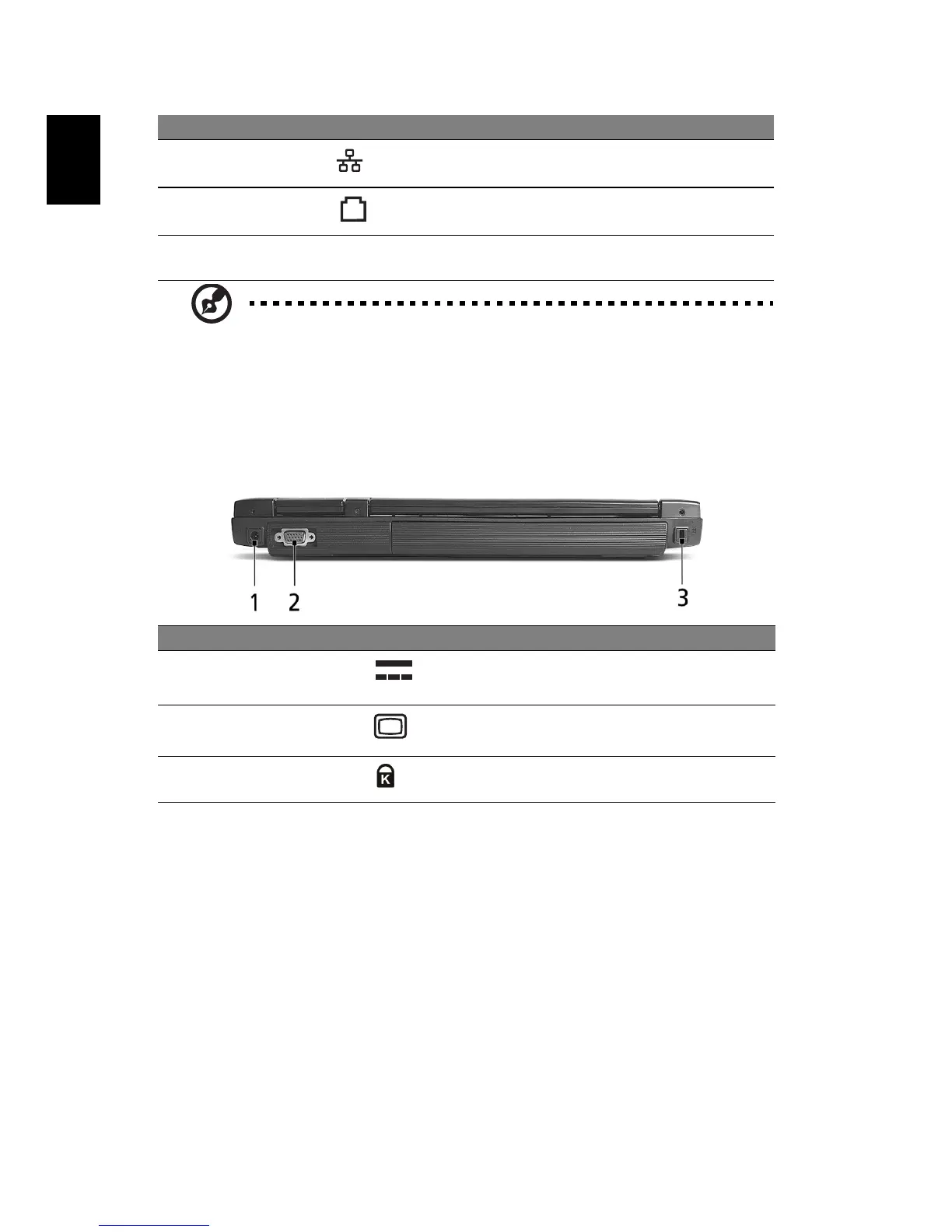
Rear view
4 Network jack Connects to an Ethernet 10/100 based
network.
5 Modem jack Connects to a phone line.
6 Ventilation
slots
Enable the computer to stay cool, even
after prolonged use.
# Item Description
1 Power jack Connects to an AC adaptor.
2 External display
port
Connects to a display device (e.g., external
monitor, LCD projector).
3 Security keylock Connects to a Kensington-compatible
computer security lock.
# Item Description


 To Next Page