5
English
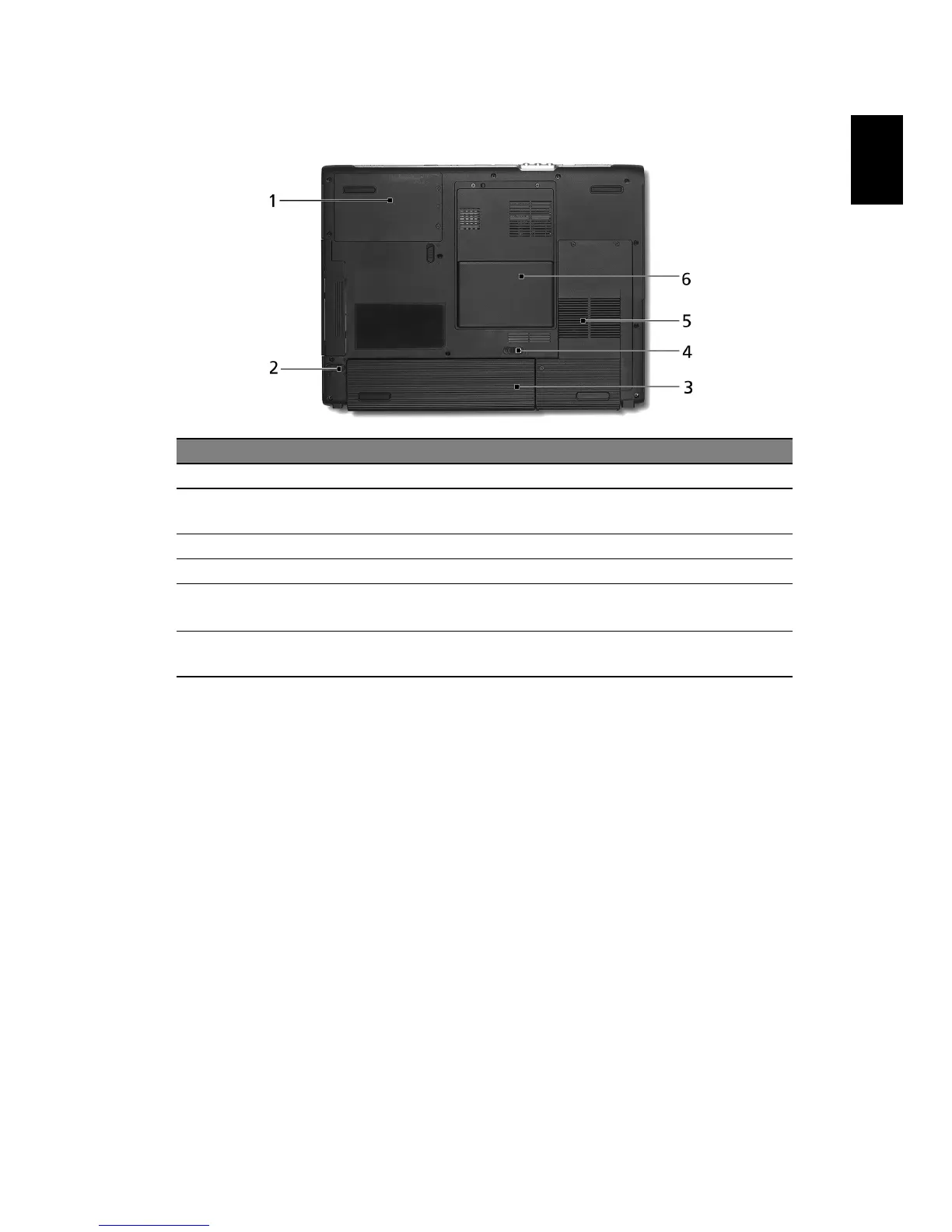
Base view
# Item Description
1 Hard disk bay Houses the computer's hard disk (secured by a screw).
2 Battery
release latch
Releases the battery for removal.
3 Battery bay Houses the computer's battery pack.
4 Battery lock Locks the battery in place.
5 Cooling fan Helps keep the computer cool.
Note: Do not cover or obstruct the opening of the fan.
6Memory
compartment
Houses the computer's main memory.


 To Next Page