1-10 User’s Guide
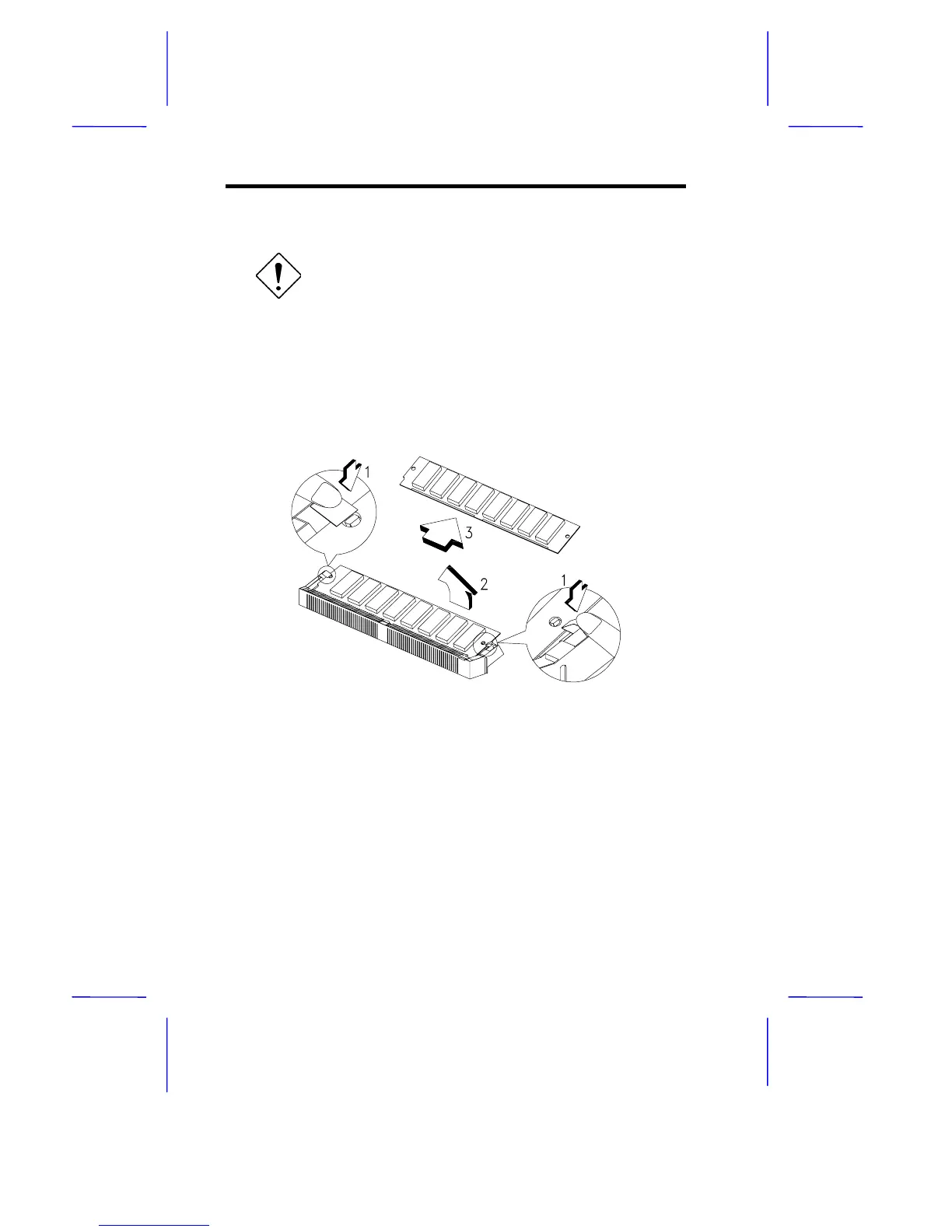
1.5.2 Removing a SIMM
Observe ESD precautions when removing
SIMMs. See section 1.2.
1. Press the holding clips on both sides of the SIMM outward to
release it.
2. Push the SIMM upward.
3. Gently pull the SIMM out of the socket.
Figure 1-4 Removing a SIMM
1.5.3 Reconfiguring the System
The system automatically detects the amount of memory installed.
Run Setup to view the new value for total system memory and make a
note of it.



 To Next Page