System Board 1-9
1.5.1 Installing a SIMM
Observe ESD precautions when installing
SIMMs. See section 1.2.
Follow these steps to install a SIMM:
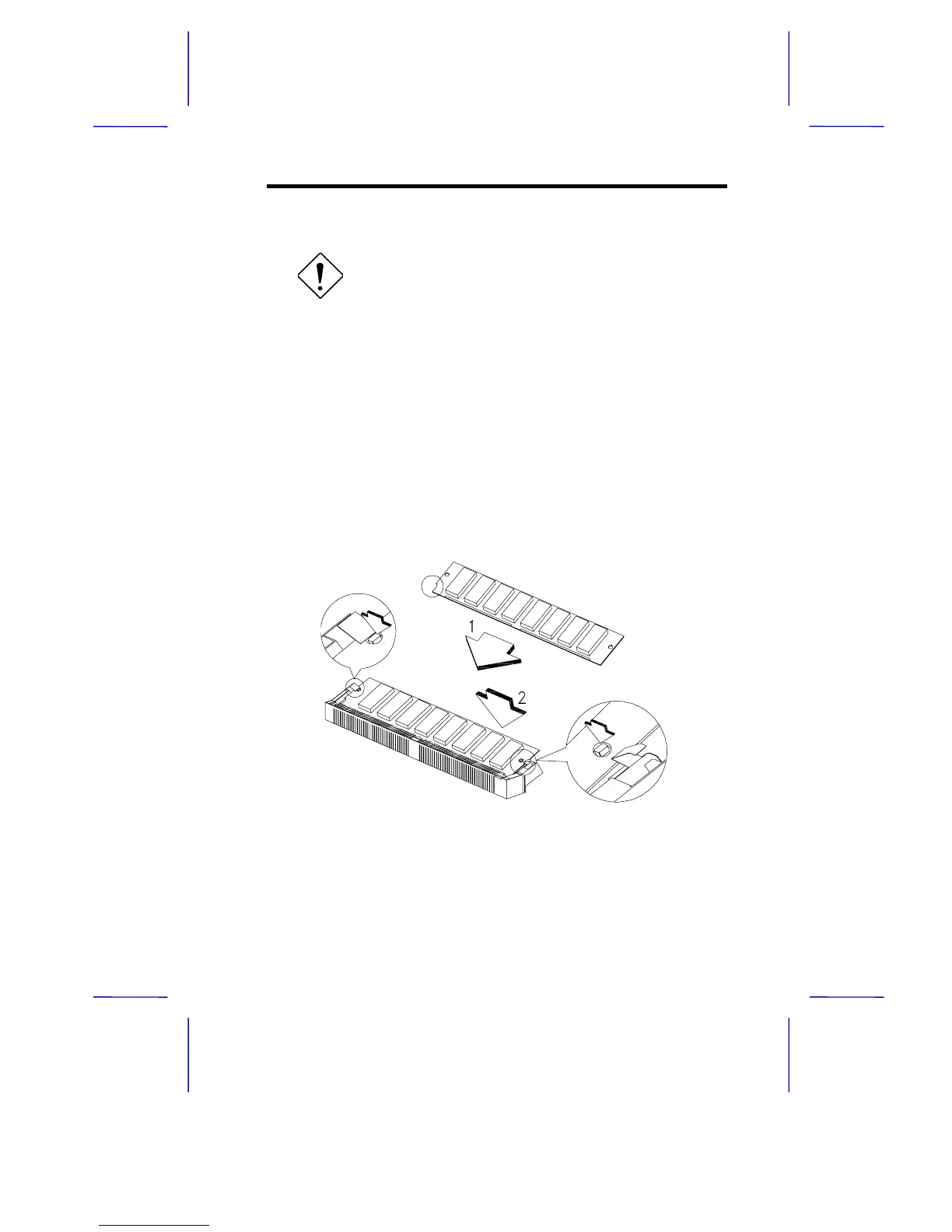
1. Insert the SIMM into the socket at a slight angle, making sure that
the cut edge of the SIMM touches the base of the circle mark on
the SIMM socket.
2. Gently press the SIMM back against the holding clips on both
ends of the socket until the peg slips into the holes on the SIMM,
and the holding clips lock the SIMM into position. See Figure 1-3.
3. Check that the SIMM is securely seated in its slot and that both
ends are locked to the socket.
Figure 1-3 Installing a SIMM



 To Next Page