1-16 User’s Guide
1.9 Upgrading Cache Memory
To install cache chips, do the following:
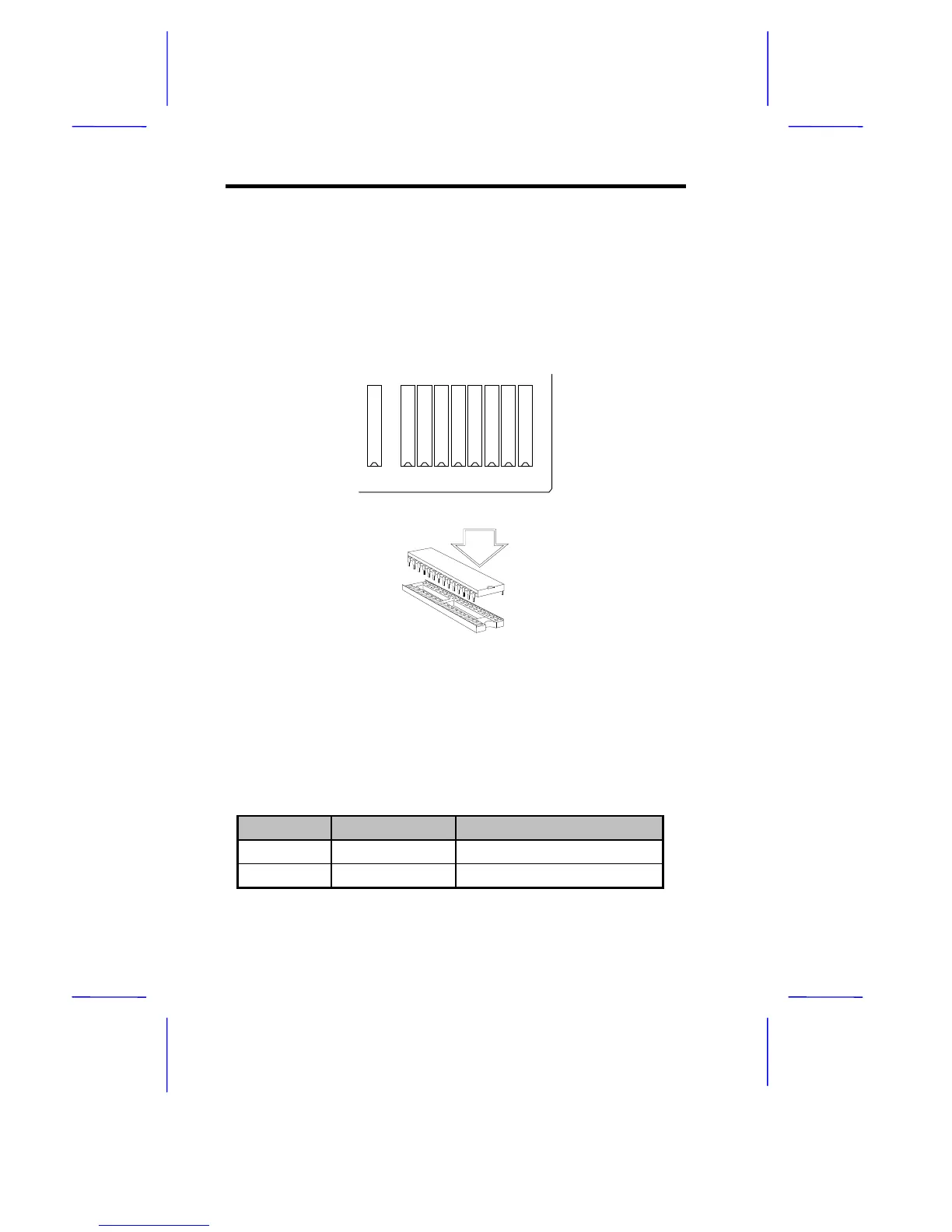
1. Locate the cache sockets on the system board. See Figure 1-1.
2. Align the cut edge of the chip with the cut edge of the cache
sockets. See Figure 1-8.
TAG U56 U57 U58 U59 U60 U61 U62 U63
Figure 1-8 Installing Cache
3. Gently but firmly insert a 32 Kb x 8, 15 ns SRAM chip into each of
the sockets. Be careful not to bend any pins. Table 1-6 lists the
cache size options and the corresponding chip configuration.
Table 1-6 Cache Size Options and Chip Locations
Cache Size SRAM Type Location
128 KB 32 Kb x 8 x 5 pcs
TAG, U56, U58, U60, U62
256 KB 32 Kb x 8 x 9 pcs
TAG, U56 to U63



 To Next Page