11
English
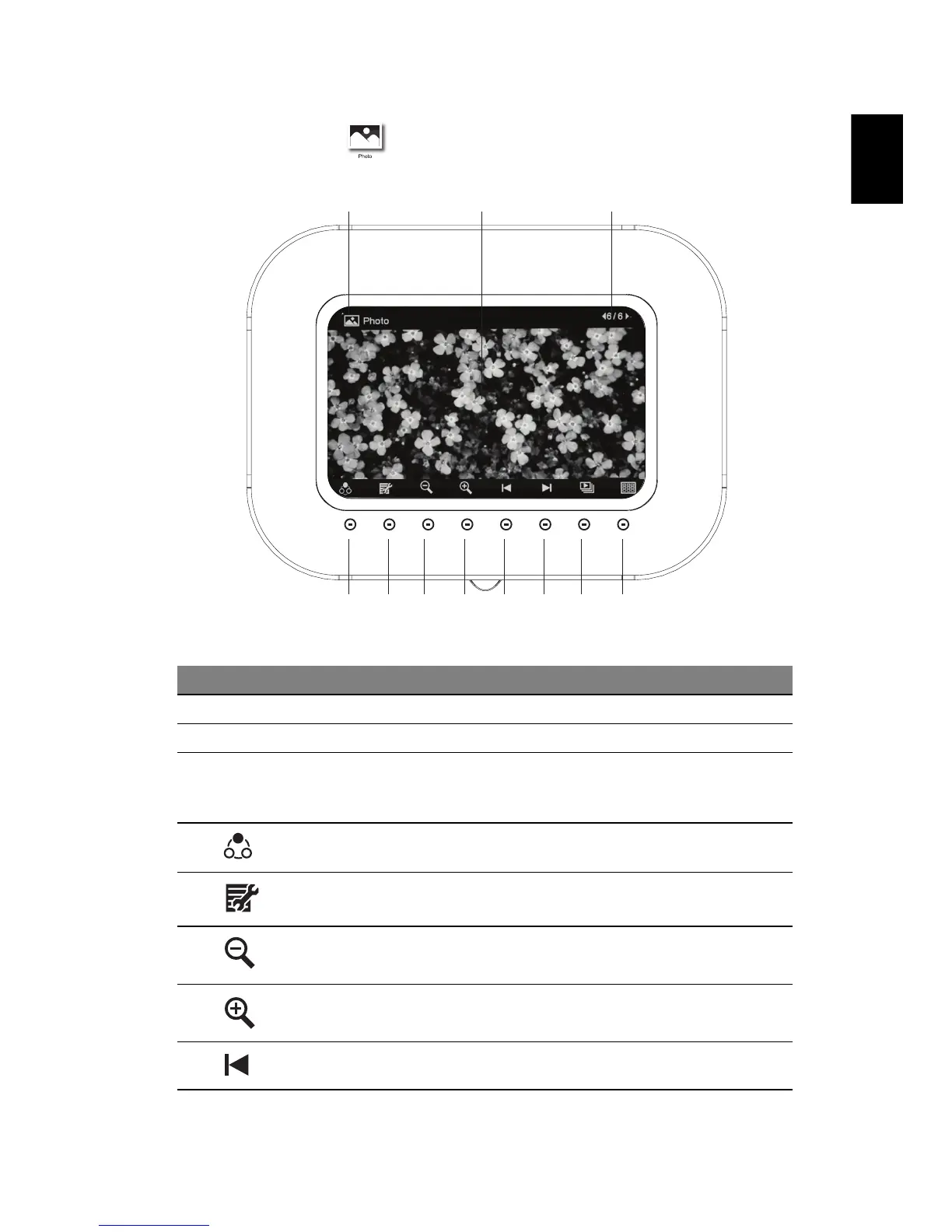
Photo mode
# Icon Item Description
1 Current mode Displays the current mode
2 LCD screen Displays photo content
3 Current file
number/total
number of files
Shows current file and the total number of
files
4 Mode selection Toggles between Photo and Calendar
modes
5 Menu Press to enter the Settings menu
6 Zoom-out Press to shrink the photo on the screen
7 Zoom-in Press to enlarge the photo on the screen
8 Previous file Press to view the previous file
4
123
5 6 7 8 9 10 11



 To Next Page